TESTING and REPAIRING PHONE LINES


You can't rely on the Phone Company to test phone lines for you.
They don't care whether your customer is happy or not!
Like Lily Tomlin said..."They don't care. They don't have to."
Things were sometimes tough to fix when there was just one Phone Company. Now there are a bunch of phone companies, and phone lines aren't the same from each of them (or the boxes the lines come out of)... Even though you have to make them work with a phone system that expects real phone lines!
Our testing devices are small, light, and inexpensive. They pay for themselves in the time you save diagnosing ONE problem, but you'll own them forever!

There's a pretty good chance that everything you need to know about fixing a customer's phone line is on this page.
With this information and the results of your tests, you can do battle with the Phone Company. Without this knowledge and the results of the tests, the Phone Company will probably ignore you - whether it's their problem or not.
We don't have "magic." If you look through this page, read our free Technical Bulletins, and you already have a fairly good digital meter (over $50?), you can probably fix most of the phone line related problems you encounter - for FREE!
If you have a digital meter you're ahead of the game! We're pretty sure that most of our customers aren't going to buy a $500 telephone line tester, but they still need to resolve phone line problems. Our alternative is a number of inexpensive testers that let you buy that $500 tester, one function at a time.
What's the first thing NOT to do?
Don't replace the KSU!
Our Troubleshooting Basics Technical Bulletin will give you some hints on how to find what's causing the problem.
Our Loop Current & Circuit Loss Tech Bulletin will help you find the cause of strange problems caused by high or low loop current, as well as fixing "Can't Hear" problems.
Our Longitudinal Imbalance Tech Bulletin will help you find really strange problems caused by AC that's induced onto trunks or station ports.
Our Ring
Voltage Tech Bulletin explains taking AC ring voltage meter readings,
the problems you'll see with ring voltage, and how to solve them.
Our CPC Tech Bulletin will give you some things to look for if you're having a problem with trunks or ports locking up, or a bunch of garbage at the end of voicemail messages.
How to Successfully Implement VoIP Lines or Equipment helps you do your homework when choosing VoIP. This Bulletin could save you or your customer thousands!
Our inexpensive tools and FREE technical information will augment your meter, letting you fix the problem as quickly as possible.
What's the first thing TO DO?
Take some simple measurements!
It's a good idea to take these readings on the customer's phone lines before you sell the system. With all of the LEC, CLEC, and VoIP lines out there, they aren't all electrically the same, and many do a bad job of emulating a real phone line. They might not work right with a particular phone system, or a particular feature like voice mail. It's better to know before you sell the system!
The first step in fixing the problem is usually as simple as finding what's different about that line(s) that's having the problem, compared to others working in that system or at another premise.
Just fill in this chart to see what's different...

Click to view and print Telephone Line Diagnostic Table PDF with Instructions
Important: Normal readings are listed in the Diagnostic Table after the description, in parenthesis.
NOTE: AC Ring Voltage has been added to the Table on 4/21/07. Please print out a new copy
if you've downloaded it before! Take a look at the new Ring Voltage Tech Bulletin
for information on troubleshooting ringing problems.
|

Never use your new Meter or Tester for the first time
at a site with a problem!
|
This is
CRITICAL Advice... |
| Always try your new tester at your office or home
before trying to use it at the customer's site!
Once you know what the readings are supposed to look like
(fill out the Telephone Line Diagnostic Table for premises that don't have problems),
you'll feel confident using a tester to solve your customer's problems. |
Here's an Index of the items on this page...

LONG LOOP ADAPTERS

BOOST Loop Current and Ring Voltage
Our Loop Current Booster and Ring Voltage Boosters will let you extend the distance that an analog station port (OPX) or telephone line will work.
You only need to use the Booster that will help your problem, either trouble ringing or low talk battery / loop current. It's unlikely you'll need both, unless the pair is very long or the analog station port is particularly weak.
Because you only need to purchase the Booster that fixes the particular problem on the line, you'll save money.
The combination of both the Loop Current Booster and Ring Voltage Booster is functionally equivalent to the old Proctor Long Loop Adapter (46222, or 46224).
While the Proctor Long Loop Adapter didn't pass Caller ID, CPC, or FSK, Neon or LED Message Waiting signals, all of our Boosters will pass those signals without a problem.
These Boosters won't interfere with Distinctive Ringing, Call Waiting, Call Transfer or 3-Way Calling features.
The regular Ring Voltage Booster increases the ring voltage to 75VAC RMS at 20 cycles, with a 5 REN output. The new Ring Voltage Booster II increases the ring voltage to 90VAC RMS at 20 cycles, with a 7.5 REN output, and a true SINE WAVE output which should be recognized by even the most finicky telephone equipment.
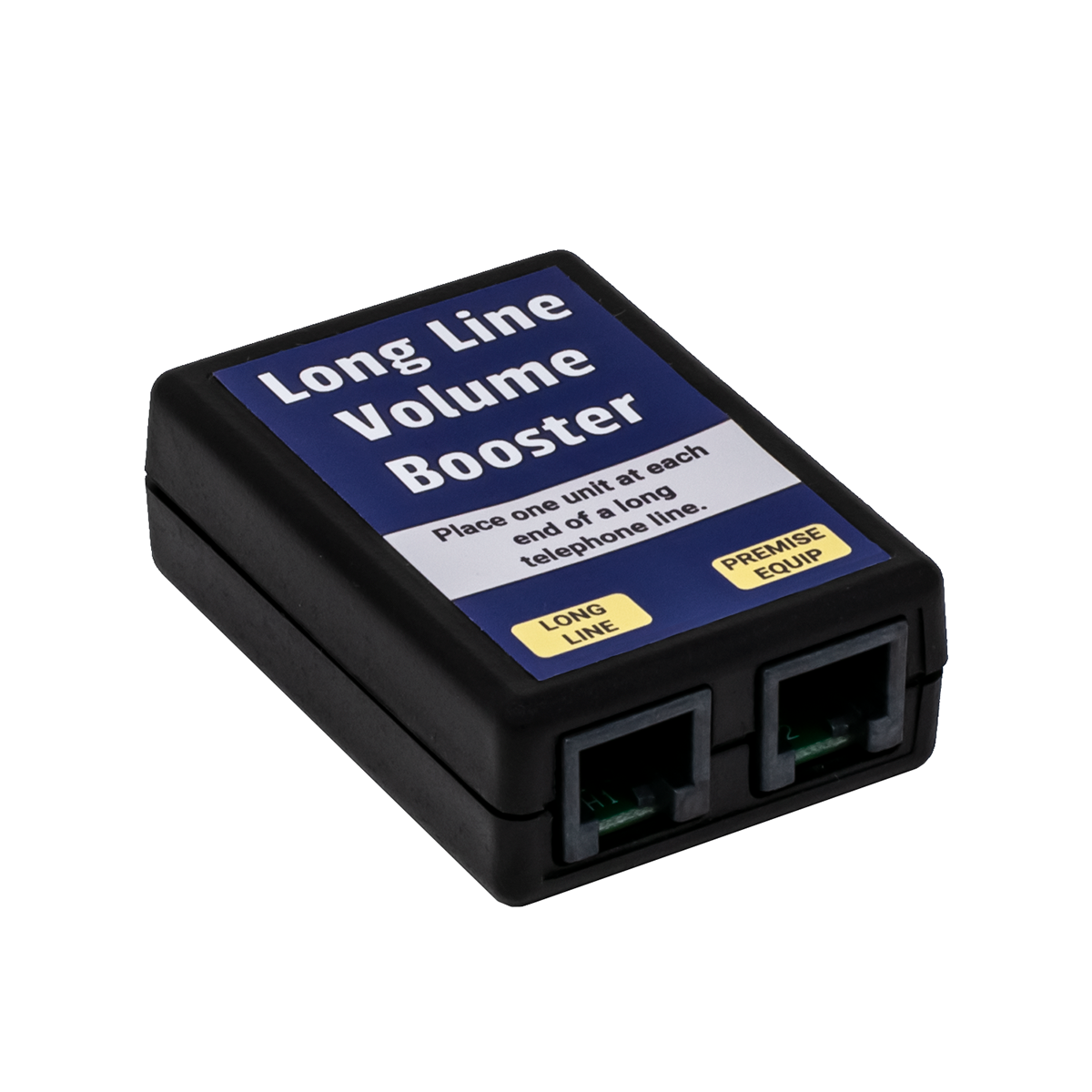
It's very difficult and expensive to amplify a 2 wire phone line if the volume is low. Our Boosters won't increase how loud the line is. More details on Circuit Loss are in our Loop Current and Circuit Loss Tech Bulletin.
Measuring ring voltage isn't easy! No two makes and models of meters will read the same on the same line (they could be as much as 10 volts off), and some modern digital meters just won't read AC voltage on a phone line, which always has DC talk battery on it too. You can see information on measuring AC ring voltage in our in our Ring Voltage Tech Bulletin.

RING VOLTAGE BOOSTER II


Ring Voltage Booster II
Increases the Ring Voltage to
90VAC RMS at 20 cycles
Increases Ringing Current to 7.5 REN
True SINE WAVE should make
anything Ring!
The Ring Voltage Booster II provides 7.5 REN of 90VAC RMS Ringing to any telephone equipment wired in-series with the Booster. That's enough for more than 7 of the old style 2500 sets with bell ringers. Each of those phones uses 1 REN.
The Ring Voltage Booster II will boost ringing from as low as 30VAC RMS. It regenerates the ringing of the telephone line or station port, matching the ring pattern very closely. It does not change the talk battery voltage or loop current, and does not provide any audio gain. One Ring Voltage Booster II is required per line.
Boosts Ringing On:
- Telephone Lines
- Analog Station Ports
- Analog ISDN Ports
- T1 Channel Bank Ports
- VoIP Adapter Analog Ports
- Any Device that provides a Port for an Analog Telephone
A lot of modern telecom devices do a poor job of emulating
a real phone line, and have pretty bad ringing!
The telephone company normally provides 5 REN of ringing on a telephone line. Adding a Ring Voltage Booster will allow you to put over 11 REN worth of phones on a line. Plug around 4 REN directly into the line from the phone company, and plug 7 REN into the Ring Voltage Booster II (which would be bridged directly to the phone line).
You need to know how many REN you're putting on a phone line or adapter. The REN value is marked on the bottom of each modern phone. Most are now well under 1 REN, although some are more than 1 REN.
The Ring Voltage Booster II will boost the ringing from phone system analog station ports, which often have low ring voltage, less than 1 REN of ringing current, and a Square Wave for ringing (instead of a true SINE wave as provided by the real phone company).
The ring voltage standard is lower in Europe (around 60VAC RMS), so if the phone system or
device providing dial tone and ring voltage was designed in Europe, the Ring Voltage Booster II could be the only way to get your CPE equipment to ring!
When used on an OPX (Off-Premise Extension), the Ring Voltage Booster II is normally placed at the far-end of the circuit (where the CPE equipment is), to regenerate the ring. You may need a Ring Voltage Booster II on each end of an OPX, particularly if the ringing is weak coming out of the phone system's station port and the OPX runs a long ways. You may need the Ring Voltage Booster II on the near end (at the PBX) if it's an OPX, and the phone company's equipment (like a repeater) doesn't recognize the ringing from the phone system's analog station port.
Has Modular Jacks for easy connection to the telephone line or station port, and the telephones.
There are no switches on the Ring Voltage Booster II, but there is an LED will that will indicate when the ring voltage is being replaced (boosted).
The CPE equipment (telephones) on LINE-OUT will still work without 110VAC power applied to the Ring Voltage Booster II, but you will have no boost of the ring voltage or current. It will simply pass the line through.
Comes in a plastic case, and includes a 12V 1000ma Regulated Power Cube.
Part Number: KIT8R Price: $124.95 ||| 3+ Price: $112.00
RING VOLTAGE BOOSTER
Ring Voltage Booster
Increases the Ring Voltage to
75VAC RMS at 20 cycles
Increases Ringing Current to 5 REN
If you need to Boost Ringing to 90VAC
or 7.5 REN, or trigger on Ring Voltage
below 40VAC RMS, see the
Ring Voltage Booster II (above)
The Ring Voltage Booster provides 5 REN of 75VAC RMS Ringing to any telephone equipment wired in-series with the Booster. That's enough for 5 of the old style 2500 sets with bell ringers. Each of those phones uses 1 REN.
The Ring Voltage Booster will boost ringing from as low as 40VAC RMS. It regenerates the ringing of the telephone line or station port, matching the ring pattern very closely. It does not change the talk battery voltage or loop current, and does not provide any audio gain. One Ring Voltage Booster is required per line.
Boosts Ringing On:
- Telephone Lines
- Analog Station Ports
- Analog ISDN Ports
- T1 Channel Bank Ports
- VoIP Adapter Analog Ports
- Any Device that provides a Port for an Analog Telephone
A lot of modern telecom devices do a poor job of emulating
a real phone line, and have pretty bad ringing!
The telephone company normally provides 5 REN of ringing on a telephone line. Adding a Ring Voltage Booster will allow you to put about 10 REN worth of phones on a line. Plug around 5 REN directly into the line from the phone company, and plug 5 REN into the Ring Voltage Booster (which would be bridged directly to the phone line).
You need to know how many REN you're putting on a phone line or adapter. The REN value is marked on the bottom of each modern phone. Most are now well under 1 REN, although some are more than 1 REN.
The Ring Voltage Booster will boost the ringing from phone system analog station ports, which often has both low ring voltage and less than 1 REN of ringing current.
The ring voltage standard is lower in Europe (around 60VAC RMS), so if the phone system or
device providing dial tone and ring voltage was designed in Europe, the Ring Voltage Booster could be the only way to get your CPE equipment to ring!
When used on an OPX (Off-Premise Extension), the Ring Voltage Booster is normally placed at the far-end of the circuit (where the CPE equipment is), to regenerate the ring. You may need a Ring Voltage Booster on each end of an OPX, particularly if the ringing is weak coming out of the phone system’s station port and the OPX runs a long ways. You may need the Ring Voltage Booster on the near end (at the PBX) if it's an OPX, and the phone company's equipment (like a repeater) doesn't recognize the ringing from the phone system's analog station port.
Has both Modular Jacks and Screw Terminals for easy connection to the telephone line or station port, and the telephones.
There are no lights or switches on the Ring Voltage Booster. You'll hear a click at the
beginning and end of the ring cycle when the Ring Voltage Booster is powered and working correctly.
The CPE equipment (telephones) on LINE-OUT will still work without 110VAC power applied to the Ring Voltage Booster, but you will have no boost of the ring voltage or current. It will simply pass the line through.
Comes in a metal case with a permanently attached 2 Prong AC power cord.
Part Number: KIT8M Price: $119.95 ||| 3+ Price: $109.95
LOOP CURRENT BOOSTER

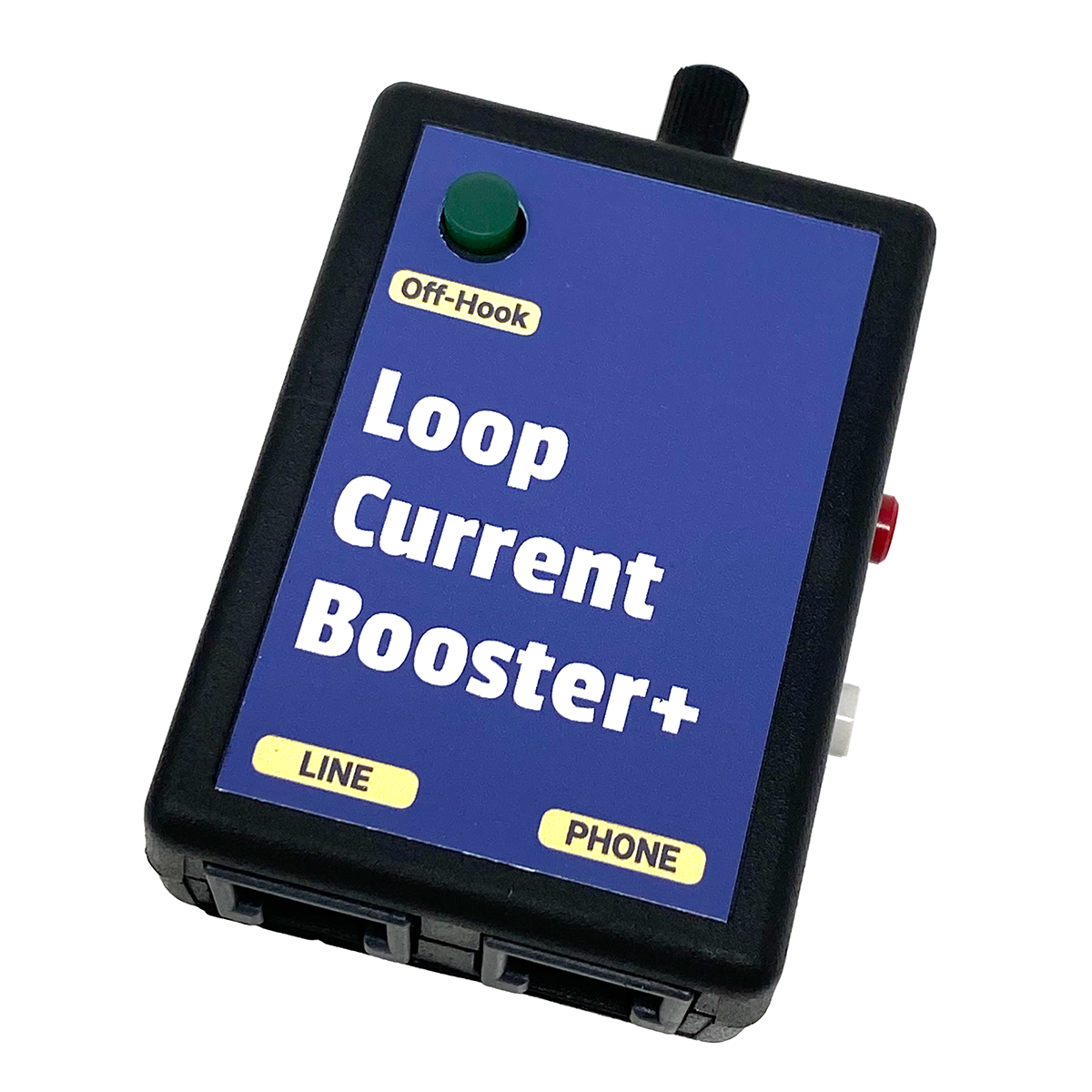
Loop Current Booster
Increases the Loop Current to a Regulated 27ma
Increases the On-Hook Talk Battery by 24VDC
The Loop Current Booster simply adds 24VDC to the on-hook talk battery. If the on-hook (hung-up) talk battery on a line is 24V, the Loop Current Booster will raise the on-hook voltage to 48VDC.
The off-hook DC voltage would be the same as any phone line with 27ma of loop current.
The Loop Current Booster will boost loop current from a CO line or station port providing as low as 15ma of loop current, at 20 to 48VDC.
The Loop Current Booster does not change the ringing voltage or current, and does not provide any audio gain. One Loop Current Booster is required per line.
Some phone companies no longer offer any conditioning for an OPX. They won’t install repeaters or condition the line for you. The Loop Current Booster boosts the talk battery and loop current, so you can get many non-conditioned (or improperly conditioned) OPXs to work.
When used on an OPX (Off-Premise Extension), the Loop Current Booster is normally placed at the near-end of the circuit (where the dial tone originates). Modern phone system station ports typically have less than 48VDC talk battery, so placing the Loop Current Booster in-series between the station port and the telco OPX demarc will make the loop current and talk battery look more like a standard phone line to the phone company.
If there’s not enough loop current on a phone line or at the far-end of an OPX (below 23ma), phones will sometimes not work properly (they might have dialing and/or talking problems).
When the Loop Current Booster is used in-series with the pair entering a premise, it increases the loop current and talk battery voltage. You may need a Loop Current Booster on each end of an OPX.
A Line In-Use LED indicator is located on the face of the Booster.
The CPE equipment (telephones) connected in-series with the Loop Current Booster will work without 110VAC power, but you will have no boost of the talk battery or loop current. It will simply pass the line through.
The Loop Current Booster has modular connections for both the telephone line or station port, and the telephone equipment.
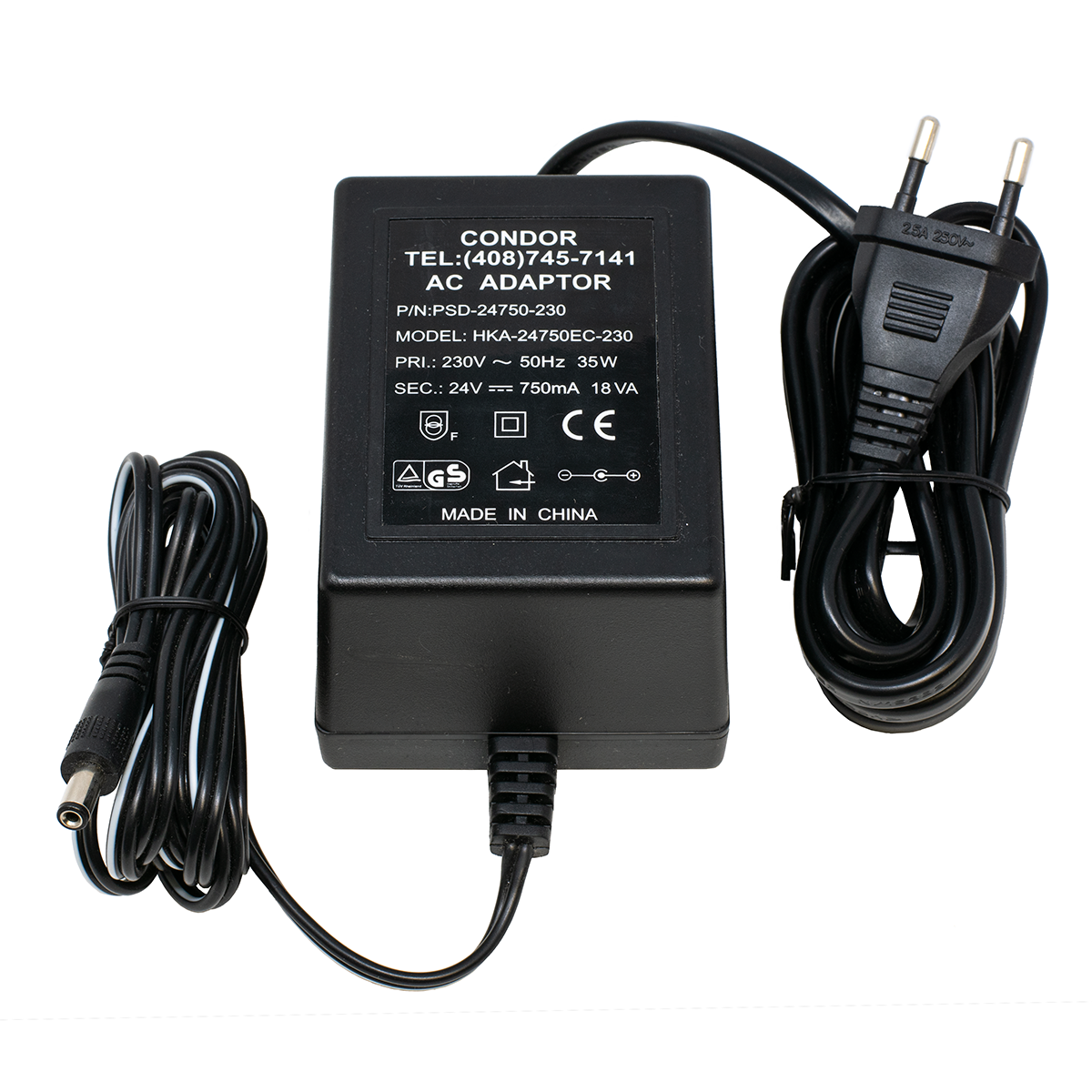
Includes 24VDC 100ma unregulated power cube. Do not substitute a different power transformer!
Part Number: KIT8L Price: $99.95 ||| 3+ Price: $89.95
66 BLOCK LINE IN-USE INDICATOR - Passes Caller ID

|
66 Block In-Use Indicator |

|
- Passes Caller ID data
- Works on a 66M Split Block
- NOT polarity sensitive... Works on either polarity
- Can be stacked on adjacent lines on the 66M block
- Just replace the bridging clips to use this indicator
- Lights Green when the line is In-use
- Lights dimmer Green when line is ringing.
- Terminals in-front of Indicator to allow you to clip your Butt-Set onto the line
They're made to be used on a split 66M block (66M1-50). They won't fit on a 66B block.
Connects in-series between the telephone line or analog station port on the left side of the 66 Block, and the telephone equipment on the right side of the 66 Block.
Keep some in your tool case!
Part Number: WAL6D Price: $17.95 ||| 3+ Price: $16.95
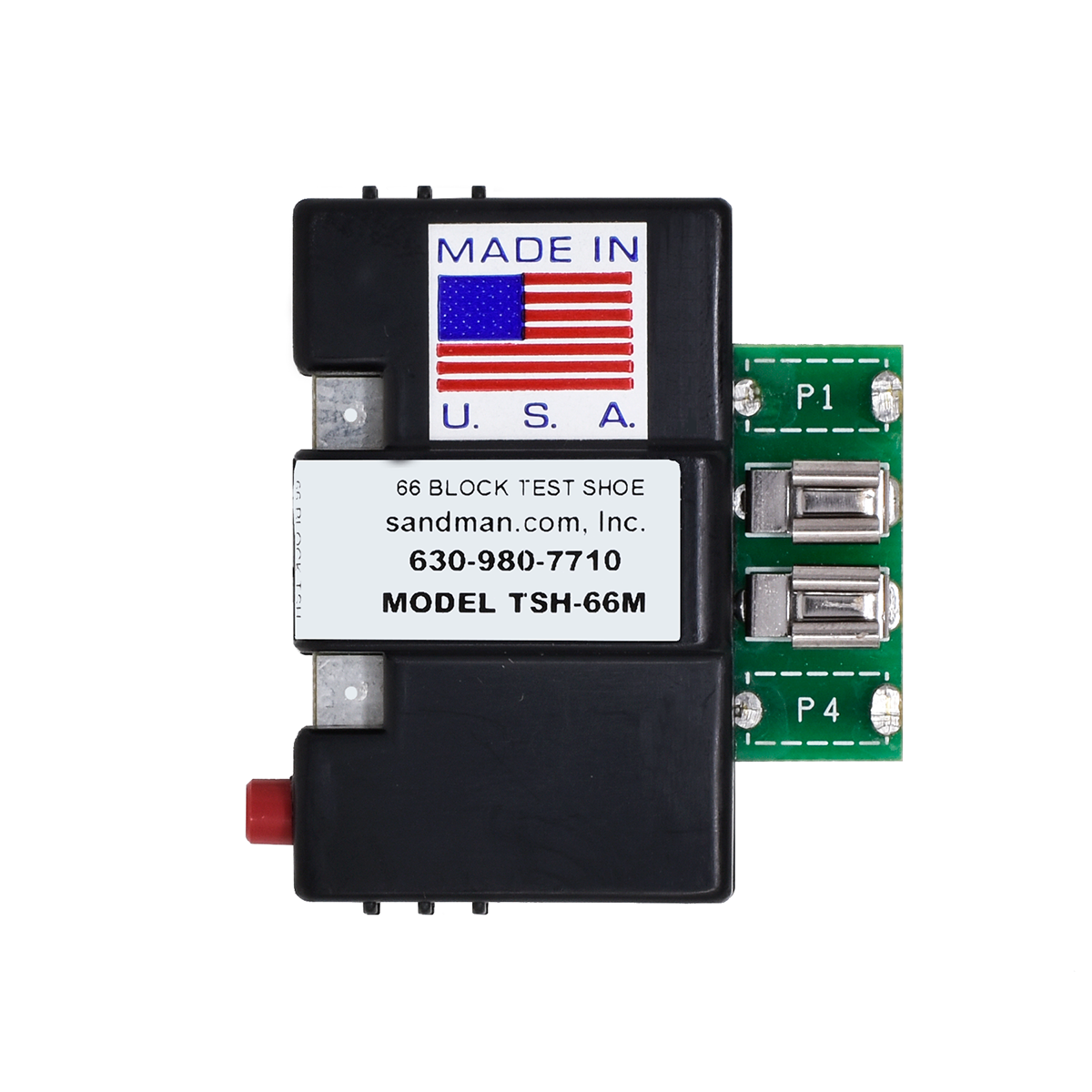
66 BLOCK TEST SHOE


If you need to test one line in the middle of a bunch of lines, it can be hard to get your Butt-set clips on the 66 block.
The 66 Block Test Shoe lets you test a line by removing a 66 Regulator, 66 Lightning Protector, or 66 Line In-Use Indicator, and placing the Test Shoe in its place. Attach your Butt-set to the clips on the front, and push the red switch to open the line and disconnect the equipment during testing.
Remember that the phone line always comes in on the left on an RJ-21X block, and the CPE equipment is always on the right.
Part Number: MIS1T Price: $29.95 ||| 3+ Price: $27.95
LOOP CURRENT TESTER
Fix the Unfixable!
High Loop Current problems are causing service calls... and you may not even know it!
Greater than 35ma Loop Current symptoms include:
- Burned out Key, PBX and Data equipment
- Cut-offs and squealing on lines
- Crosstalk, echo or hollow sounds
- Off premise equipment problems
- Garbled data and modems that won't connect

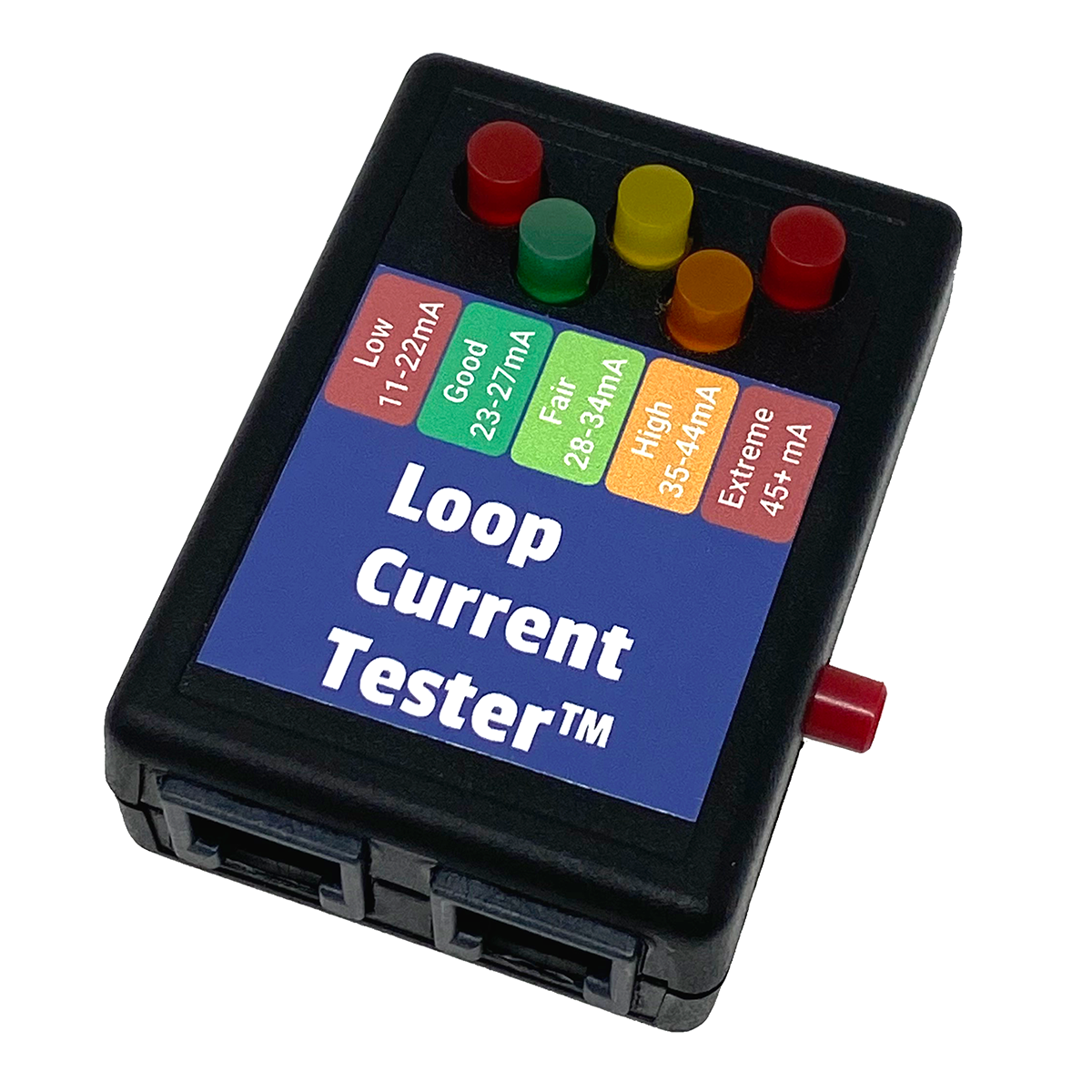
Loop Current Tester
Our Loop Current Tester is the fastest and easiest way to check loop current - just push One Button. That's it!
Connect the modular plug ANYWHERE across the line (not in series). Push the TEST button and read the loop current off the five LEDs that indicate the range of loop current:
LOW (11 to 22ma)
GOOD (23 to 27ma)
FAIR (28 to 34ma)
HIGH (35 to 44ma)
EXTREME (45ma to 120ma)
It's Line Powered, and there's only ONE Button to Push!
Because the Loop Current Tester goes anywhere across the line, our customers have told us that they find it a lot faster than getting out their digital meter and connecting it in-series with the line.
Instructions and a diagram to measure loop current with a regular digital meter are in our Loop Current and Circuit Loss Tech Bulletin.
See our Loop Current Regulators™ (a little farther down the page)
to reduce Loop Current to safe levels.
Part Number: TOH7O Price: $35.95
DELUXE LOOP CURRENT TESTER

Start piecing together your complete Telephone Line Tester with our Deluxe Loop Current Tester Kit
Same features as our Loop Current Tester (above).
Kit includes:
- Case to hold the Loop Current Tester, and a bunch more Testers.
- A 66M to 1 Pair Modular Adapter so you can plug the Tester right onto a 66 Block.
- A Modular Butt-set Cordset with Angled Bed-of-Nails Clips, so you can use the Tester
like a Butt-set. The Bed-of-Nails will pierce the insulation on inside wire, without the need
to strip it, and without damaging the wire!
- A short Modular Cord with K-Plugs to make it easy to plug and unplug the Tester.

Click for larger pictures of Accessories
Part Number: TOH7P Price: $74.95
CASE and CORD KIT for TESTERS

If you already have a Tester or two,
get our Case and Cord Kit for Testers
Kit includes:
- Case to hold a bunch of Testers
- A 66M to 1 Pair Modular Adapter so you can plug the Tester right onto a 66 Block.
- A Modular Butt-set Cordset with Angled Bed-of-Nails Clips, so you can use the Tester
like a Butt-set. The Bed-of-Nails will pierce the insulation on inside wire, without the need
to strip it, and without damaging the wire!
- A short Modular Cord with K-Plugs to make it easy to plug and unplug the Tester.
Same as the Deluxe Loop Current Tester Kit (above), but with no Loop Current Tester.
Part Number: TOH7T Price: $39.95
CIRCUIT LOSS TESTER
Test Circuit Loss with One Button!
CAN'T HEAR problems are tough to track down without a Circuit Loss Tester!
If a user at a customer says they can't hear on a call occasionally, there's not much you can do about it. It's probably the long distance provider on one end or the other.
If only a single user at a customer is complaining that they can't hear on a regular basis, an Amplified Handset will probably help that user.
If all or several users are complaining that they can't hear on a lot of calls, or that the outside party can't hear them, it's time to do some testing to see what's wrong. I've personally carried one brand or another of a Circuit Loss Tester for many years. I don't know how a repairman can figure out what's going on without one, and Can't Hear complaints are pretty common.
If you're a repairman, you'll have a pretty good idea of how a phone line sounds just by listening to it in your Butt-set, since that's what you do for a living. If the line is low, you really need to know how low it is, so you can go to battle with the Phone Company.
TIP: Through the years my ear has gotten pretty good at knowing if the level of a phone line is OK or not by simply calling a 1KC tone at the Phone Company in downtown Chicago (312-856-9996). I always call the same number. My ear seems to have a pretty good idea of how loud it should be depending on how far I am from downtown. This works on both a Butt-Set and a regular telephone handset. I press the handset to my ear to make a good seal, and then I rock it forwards a little to break the seal. It's pretty accurate as a first test. If it sounds low, I continue on to taking a Circuit Loss Reading.
You need to measure the Circuit Loss of the phone lines in order to go to battle with the Phone Company. If you tell the Phone Company that the lines are too low, they'll just tell you that they Test OK, No Trouble Found. They aren't going to do anything about it unless you have some numbers to force them to take action (and even then they may ignore you).
Circuit Loss is measured between the local Central Office (CO) that the lines are working out of, and the customer's premise. The CO sends out a 1004 cycle tone at 0db, and it's measured at the customer's demarc using a meter that reads the db level. Whatever the reading is, is the Circuit Loss on that line. If it reads -7.5db, the line lost 7.5 db of audio between the CO and premise. That loss is usually just the result of the resistance of the length of small copper wires. The farther the wires go, the lower the volume at the premise.
Keep in mind that electrically, there are two parts of a phone line - the DC voltage and current, and the AC voltage (audio measured in db). The AC audio on a phone line rides on-top of the DC talk battery. While they're related, they don't always follow each other. Just because the Loop Current is OK, doesn't mean that the Circuit Loss is OK.
Generally speaking, anything below a -7.5 gets hard to hear. The phone company doesn't have to do anything about bringing up the level on the line until it's below -8.5db. At that point, it's really hard to hear, and very annoying for the customer.
The good news is that most Phone Companies let you order a TRUNK instead of a LINE (loop or ground start), where they'll guarantee a maximum 5.5db of loss. I've never heard anyone complain about a line that had a -5.5db Circuit Loss. Keep in mind that TRUNKS are more expensive than LINES, and require a completely new installation of conditioned pairs to the premise.
It's very difficult and expensive to amplify a 2 wire phone line. It's a lot better to let the Phone Company do it! More details on Circuit Loss are in our Loop Current and Circuit Loss Tech Bulletin.
The Circuit Loss Tester is easy to use:
- Connect the first modular jack on the Circuit Loss Tester to the pair at the demarc
- Connect your Butt-Set to the second modular jack on the Circuit Loss Tester
- Call the 1KC tone at the local CO (you MUST use the local CO's 1KC tone, not a tone at a different CO)
- Push the button on the Circuit Loss Tester and read the circuit loss on the Bright Red 1/2" Tall LED Display
- The display reads from +10 to -40db
• +10 to -20db in 1/2 db increments.
• -20 to -40db in 1 db increments.
It's Line Powered, and there's only ONE Button to Push!
No batteries to worry about.  It's tiny, but VERY ACCURATE
If you can't get the 1000 Cycle Tone (1KC) number for the local CO, the only other way to determine the Circuit Loss is to do a Loop Around Test. That means that you use two phone lines. You put a Tone Generator on one line (at the same premise), and call it from the line you're testing. See our 1KC Tone Generator (below).
Part Number: TOH8K Price: $99.95
1KC TONE GENERATOR
1KC Tone Generator
Just like the Phone Company's!
The 1KC Tone Generator sends out a 1004 cycle tone at 0db, and gives you a short period of silence (stutters) every 10 seconds... Just like the Phone Company's Tone.
It answers the line automatically on the first ring, and will hang-up as soon as it sees a CPC signal.
In order to get an accurate Circuit Loss reading, you MUST use the 1KC Tone at the CO the line is working out of. If you use the 1KC Tone from another CO, it's impossible to get the correct reading because there is always an unknown amount of loss between two or more COs. If you can't get the phone number for the 1KC Tone at the CO, you'll need to do a Loop Around Test, using two phone lines (one to send tone, and one to measure it), and a 1KC Tone Generator.
The 1KC Tone Generator is easy to use:
- Put it on a phone line (usually the last line)
- Dial the phone number the 1KC Tone Generator is on from each of the lines you want to test, noting the db reading for each
- Since you're doing a Loop Around Test, your reading is actually the Circuit Loss for both lines added together (you could just divide the number in-half, but one line may be bad and they may not both have the same amount of loss)
- Just hang-up on the line you're reading the db level on, and repeat the operation on all the other lines (there's no need to read the line with the 1KC Tone Generator on it)
- The 1KC Tone Generator will hang-up as soon as it sees the CPC signal on the phone line it's connected to
- If there is no CPC, or the ring voltage won't trip the 1KC Tone Generator to answer the line, you can start and stop the tone manually by pressing the single button on the unit (the 1KC Tone Generator only works on a line with talk battery, it won't work on a dry pair with audio)
- Use the worksheet included with the 1KC Tone Generator to determine the Circuit Loss of each of the separate lines from the readings you noted (the calculations will get you very close to the actual circuit loss of each line, as long as there are three or more lines)
It's Line Powered, and it's Automatic!
There's only ONE Button to Push in Manual Mode
Part Number: TOH8L Price: $62.95
Need to know
what kind
of Central Office the Phone Company is using?
How about the
address
of the Central Office? |
Click Here
to do a CO Lookup!
|
Use our CO Lookup to find out which Phone Company owns the CO,
where the CO is, and how far it is from your customer's premise
using our Map It! feature.
You'll also find all of the exchanges in that Central Office (the actual CO switch could have many exchanges, allowing it to go over 10,000 phone numbers), and find all of the other COs (colocated) at that address (there could be several).
Keep in mind that with the advent of Portability, there is no way to tell whether a particular phone number has been ported to another Phone Company without asking your customer (if they know!). You could try dialing 0 for the Operator, but it seems like most are now in India, and don't know who they're answering the line for (they just say they're the Operator).
If you use the local Phone Company's 1KC Tone on a phone number that's been ported to another Phone Company's switch, the readings probably won't be accurate. You'll need the 1KC Tone phone number in the CLEC's switch.
We need your local Test Numbers!
Our databse will now list Test Numbers for each switch (1KC Tone and Silent Termination), when we have that information. If you know the test numbers for some of the COs in your area, you can look up that CO, and then enter the information into a form. We'll test them (we don't want to keep calling someone's Grandmother!), and put them in the list within a day or two.
Since the database lists each CO individually, we need the information on specific COs. Although we can try to put general notes in the listing that will apply to an entire city, state or area code, the most useful information is specific test numbers for a particular CO. At this point, we don't have a lot of test numbers, but we're hoping that will change quickly!
At most COs, the 1KC Tone is always the exchange code plus a particular last four digits. In the Chicago area, 9996 and 9940 are popular for the 1KC tone, and 9939 or 9995 for Silent Termination. 9997 or some other number is used to open a circuit automatically for a few minutes from the CO for testing in the field (to remove talk battery so you can test with a Kick Meter or Sidekick).
If you know the common four digit station numbers that a particular Phone Company uses, you may be able to figure out the test number you need by trying those four digits with all the exchanges shown for that CO in CO Lookup (like XXX-9996). Since there are usually several exchanges working out of larger COs, the test numbers will only be on one of the exchanges.
As an example, if you do a CO Lookup on the 630-295 exchange, you'll find that there are quite a few exchanges working out of that CO (they all have the same CLLI code). Neither 630-295-9996 or 630-295-9940 give you a 1KC Tone, but if you try each of the exchange codes in that CO, when you get to 630-980 you'll find that 630-980-9940 gives your a 1KC Tone.
Note that on the list of exchanges working out of the same CO, there can be more than one area code in a Central Office. In the case of the CO that has the 630-295 exchange, there are several 847 area code exchanges. This is usually the result of area code splits, where the line between the two area codes went right through the area where a single Central Office served several cities.
When you need to do a CO Lookup, you'll find it right at the top of our main page at www.sandman.com
Click HERE to give it a try on your own CO right now!
SILENT LINE TERMINATOR™
Silent Line Terminator™
Just like the Phone Company's!
The Silent Line Terminator™ is totally quiet when it answers the phone line it's connected to... Just like the Phone Company's Quiet Line.
It answers the line automatically on the first ring, and will hang-up as soon as it sees a CPC signal.
When you can't get the phone number for the Phone Company's Quiet Line, this lets you make your own Silent Line!
Because there are no levels involved, you can put this at your office, on one of the customer's phone lines (temporarily), or on any phone line with CPC (so it will hang-up automatically).
Although Interconnect phone men seldom have to take noise or power influence readings, those readings would only be valid dialing a Quiet Line at the CO the line is working out of. While you could do a Loop Around Test for noise, we don't provide a worksheet for determining the noise on a line.
I couldn't do repair without having a Quiet Line to call. There are so many cases with static and noise problems that I use the Quiet Line all the time.
It's Line Powered, and it's Automatic!
There's only ONE Button to Push in Manual Mode
NOTE: Some Phone Companies have a combination quiet line that gives you a 1KC Tone for a short time, and then silence (like 312-856-9998). There are also Sweep lines, that slowly step up from about 300hz to 3000hz, so you can check the loss at various frequencies. Interconnects seldom (if ever) need to check the loss at anything other than 1KC.
Part Number: TOH8M Price: $59.95
NETWORK METER DVOM and CAT5 CABLE TESTER
|

|
Network Meter
Accurate
DVOM
(Digital Volt Ohm Meter)
and
CAT5
Cable Tester
with Remote
to test for Continuity and Splits
|
|
An Unbelievably Good Meter for a Phone Man, at a Very Reasonable Price!
We bought and tested lots of meters to find
one that was accurate for the phone man who has to measure:
- On and Off Hook DC Voltage
- DC Loop Current
- Induced AC Voltage on a Phone Line
- AC Ring Voltage
It's amazing how many meters, even expensive
ones, won't measure AC on a phone line. You know you can't use a meter for telephone work if the display just hunts from 50 to 100 to 10 to 200 to 30,
etc., constantly. Most Flukes work OK.
Network Meter™ DVOM Features:
- AC and DC Volts
- AC and DC Current (DC mA for Loop Current)
- Ohms
- Continuity with Beeper
- Hold Button to Freeze the Display
- Large Numbers on the LCD Display
- Bright White Backlight for the Display (Switchable
On/Off)
- CAT5 4 Pair Cable Tester with Remote (Shows
Continuity and Split Pairs)
- Flip Out Desk Stand, with Helpful Connection
Tips under the Stand
- Overvoltage Protection prevents Meter Damage
- Comes with Regular 9V Heavy Duty Battery -
Lasts an Incredibly long time!
- NOTE: There is an RJ-11 Test on the
Selector Switch that's not Implemented
The Network Meter™ is really easy to
use!
Phone line and phone system problems are getting
harder, and a meter is as important as ever for a phone man who needs to get
problems fixed as quickly and efficiently as possible... before you replace
the KSU!
The Network Meter™ is at
least as good at reading AC ring voltage as the $800 to $1,000 Triplett Model 5
or Sidekick T&N Meters, and it's accurate on all of the other ranges too -
including DC ma (for loop current).
I put 50VDC from a phone line into
the Cable Tester and Remote RJ-45 jacks, as well as the meter's ohms range, and
the meter still worked (no smoke!). Not all meters or cable testers can survive
an accidental connection to a phone line - which is a real possibility when
we're out in the field. With PoE (Power over Ethernet), a lot of CAT5
jacks in offices are going to have 48VDC on one of the pairs that can instantly
destroy a cable tester without overvoltage protection.
See the Ring
Voltage Tech Bulletin for more information on ringing problems, and
reading AC voltages on phone lines.
Part Number: TOH3A Price: $89.95 ||| 3+ Price: $79.95
REPLACEMENT METER LEADS
Standard Replacement Banana Plug Meter Leads
Part Number: MSC3B Price: $6.95
ECONOMY NETWORK METER DVOM and CAT5 CABLE TESTER

ECONOMY Network Meter
A GREAT DVOM (Meter) that reads AC on a phone line
correctly, and also tests the continuity of CAT5 cables...
at an Unbelievable Price!
Accurate DVOM (Digital Volt Ohm Meter) and
CAT5 Cable Tester with Remote
to test for Continuity and Splits
Includes:
- Digital Meter with 9V Battery
- Regular Meter Test Probes
- Remote for the Cable Tester
An Unbelievably Good Meter for a Phone Man, at a Very Reasonable Price!
We bought and tested lots of meters to find
one that was accurate for the phone man who has to measure:
- On and Off Hook DC Voltage
- DC Loop Current
- Induced AC Voltage on a Phone Line
- AC Ring Voltage
It's amazing how many meters, even expensive
ones, won't measure AC on a phone line. You know you can't use a meter for telephone work if the display just hunts from 50 to 100 to 10 to 200 to 30,
etc., constantly. Most Flukes work OK.
ECONOMY Network Meter™ DVOM Features:
- AC and DC Volts
- AC and DC Current (DC mA for Loop Current)
- Ohms
- Continuity with Beeper
- Hold Button to Freeze the Display
- Large Numbers on the LCD Display
- Bright White Backlight for the Display (Switchable
On/Off)
- CAT5 4 Pair Cable Tester with Remote (Shows
Continuity and Split Pairs)
- Flip Out Desk Stand, with Helpful Connection
Tips under the Stand
- Overvoltage Protection prevents Meter Damage
- Comes with Regular 9V Heavy Duty Battery -
Lasts an Incredibly long time!
- NOTE: There is an RJ-11 Test on the
Selector Switch that's not Implemented
The ECONOMY Network Meter™ is really easy to
use!
Phone line and phone system problems are getting
harder, and a meter is as important as ever for a phone man who needs to get
problems fixed as quickly and efficiently as possible... before you replace
the KSU!
The ECONOMY Network Meter™ is at
least as good at reading AC ring voltage as the $800 to $1,000 Triplett Model 5
or Sidekick T&N Meters, and it's accurate on all of the other ranges too -
including DC ma (for loop current).
I put 50VDC from a phone line into
the Cable Tester and Remote RJ-45 jacks, as well as the meter's ohms range, and
the meter still worked (no smoke!). Not all meters or cable testers can survive
an accidental connection to a phone line - which is a real possibility when
we're out in the field. With PoE (Power over Ethernet), a lot of CAT5
jacks in offices are going to have 48VDC on one of the pairs that can instantly
destroy a cable tester without overvoltage protection.
See the Ring
Voltage Tech Bulletin for more information on ringing problems, and
reading AC voltages on phone lines.
Part Number: TOH3B Price: $44.95 ||| 3+ Price: $42.95 ||| 10+ Price: $39.90
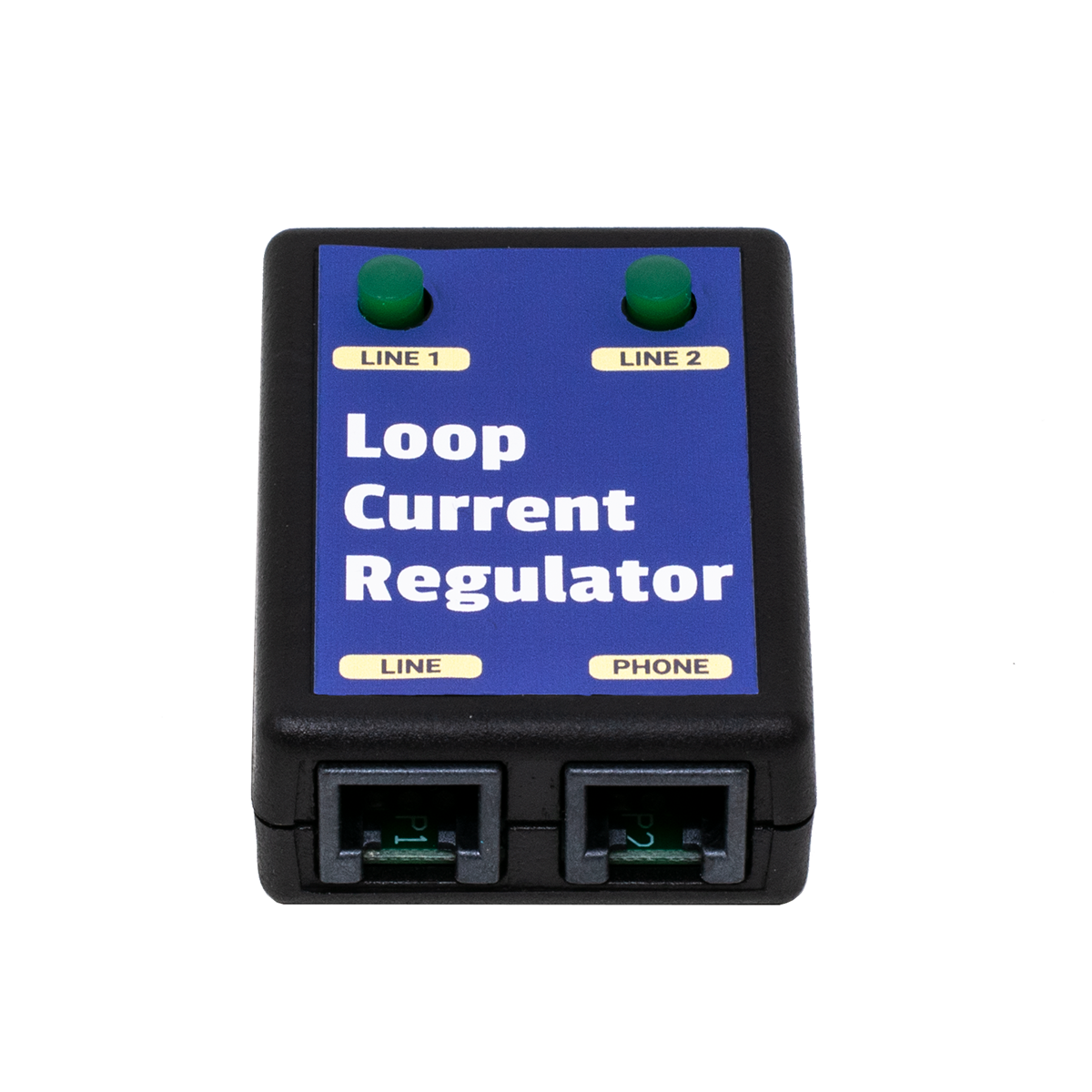
MODULAR LOOP CURRENT REGULATOR™ - 1 LINE
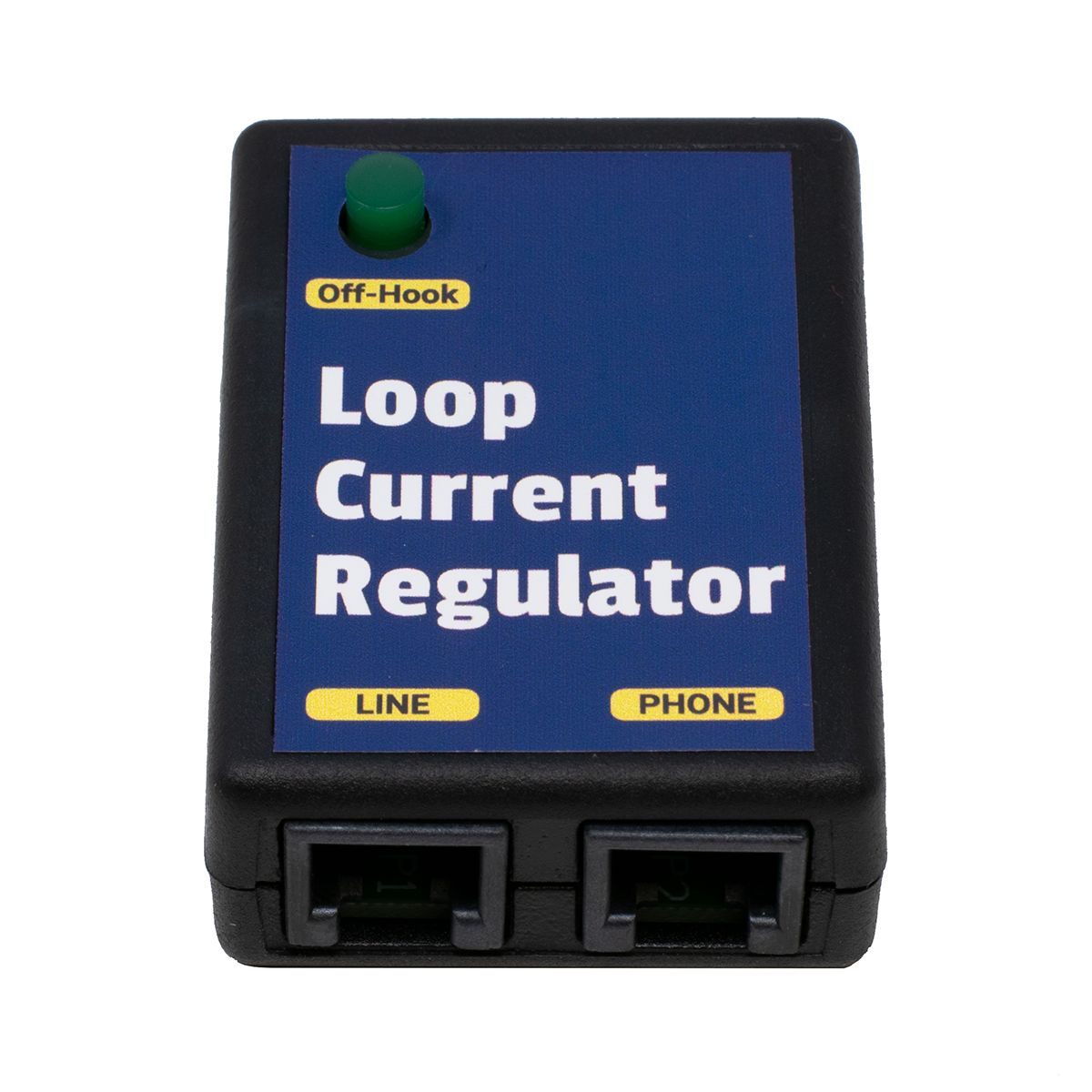
1 Line Modular Loop Current Regulator™
Our Loop Current Regulator™ automatically keeps the Loop Current on a line at 25ma - no matter what!
No dip switches, no meter, just plug it in! If the Loop Current changes down the road, the Loop Current Regulator automatically adjusts.
Includes a BUSY (Line In-Use) LED that lights whenever anything in-series with the Loop Current Regulator™ goes off-hook.
Greater than 35ma Loop Current symptoms include:
- Burned out Key, PBX and Data equipment
- Cut-offs and squealing on lines
- Crosstalk, echo or hollow sounds
- Off premise equipment problems
- Garbled data and modems that won't connect
Our Loop Current Regulator™ is a cost effective fix to High Loop Current Problems. Specially made so that it WON'T bring down the volume of the line as it reduces the Loop Current. Your customer will be able to hear even if the Loop Current Regulator™ is reducing the Loop Current by 80ma!
Each 1 Line Modular Loop Current Regulator™ can be plugged directly into a modular jack (RJ11), with the telephone equipment plugged into its jack. It can also be hardwired to a 66 Block by cutting the twisted pair cable going to the modular plug in the middle, and punching the one pair from each of the two cut ends down to the 66 Block (the plug side to the phone line, and the Regulator side to the phone equipment).
Keep some Loop Current Regulators™ in your case. Sometimes you've
just got to reduce the Loop Current to see if the problem clears.
The reason that high Loop Current causes different problems on different systems, and different problems depending on how high the Loop Current is, is that high Loop Current produces heat. Once the electronic components in a circuit get hotter than what they're rated to work at, strange problems start popping up. The problems are going to be different on every different model and brand of phone system, and at different premises, because there will be more or less Loop Current effecting different sets of components in the various systems.
More information on Loop Current is available in our Loop Current and Circuit Loss Tech Bulletin.
If you need to BOOST the Loop Current or Talk Battery,
see our Loop Current Booster farther down the page.
Part Number: WAL5S Price: $39.95 ||| 3+ Price: $38.95
MODULAR LOOP CURRENT REGULATOR™ - 2 LINE
2 Line Modular Loop Current Regulator™
Our Loop Current Regulator™ automatically keeps the Loop Current on a line at 25ma - no matter what! No dip switches, no meter, just plug it in!
Includes a BUSY (Line In-Use) LED for each of the two lines that lights whenever anything in-series with that line on the Loop Current Regulator™ goes off-hook.
Each 2 Line Modular Loop Current Regulator™ can be plugged directly into a modular jack (RJ14), with the telephone equipment plugged into its jack. It can also be hardwired to a 66 Block by cutting the twisted pair cable going to the modular plug in the middle, and punching the two pairs on each of the cut ends down to the 66 Block (the plug side to the phone line, and the Regulator side to the phone equipment).
Same features as our 1 Line Loop Current Regulator™, but supports 2 lines (RJ-14 Configuration).
Part Number: WAL5T Price: $49.95 ||| 3+ Price: $48.95
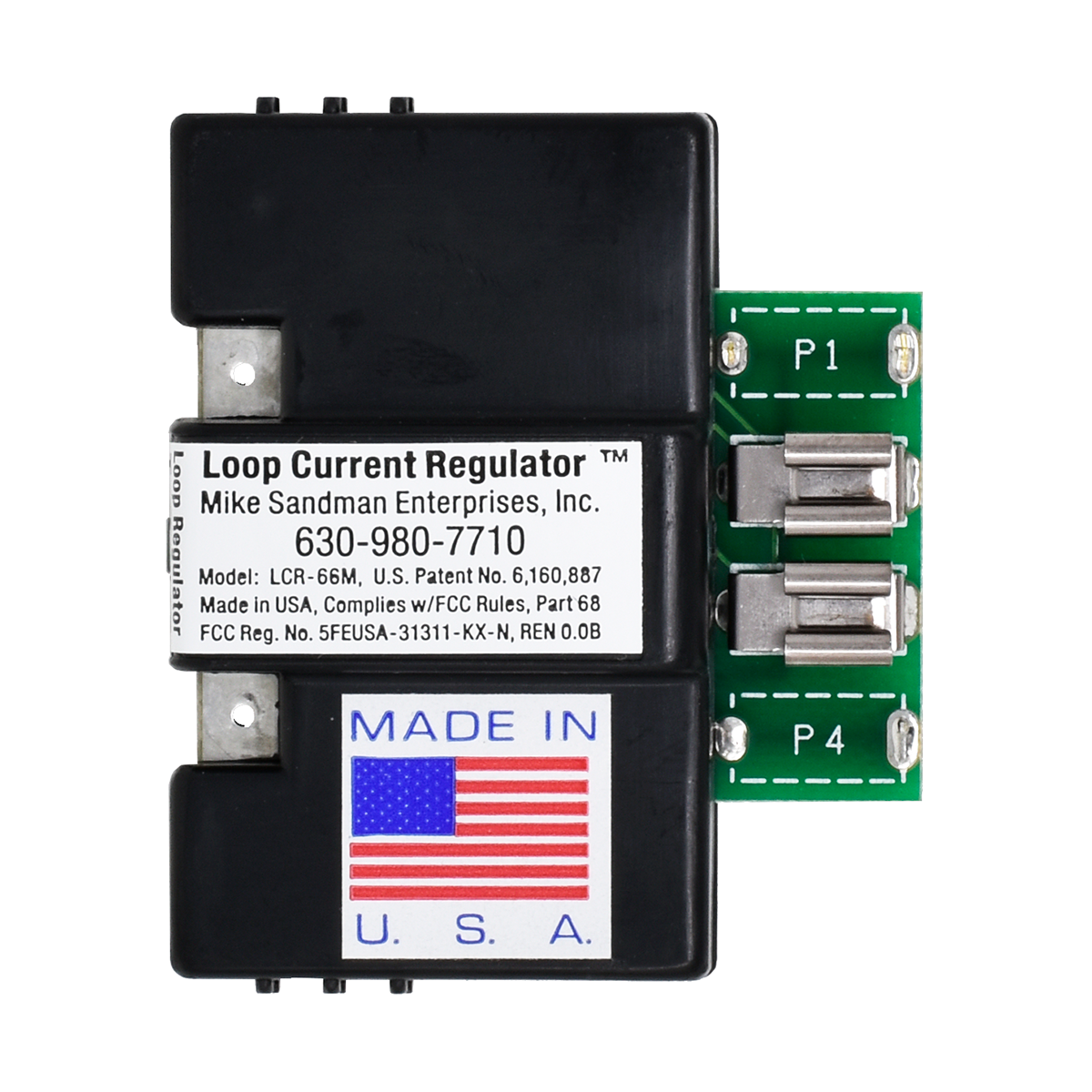
66 BLOCK LOOP CURRENT REGULATOR™
66 Block Loop Current Regulator™ 
Includes a BUSY (Line In-Use) LED that lights whenever anything in-series with the Loop Current Regulator™ goes off-hook.
Shown here with the 66 Block Test Shoe
Same features as our Modular Loop Current Regulators™ (above), but the 66 Block Regulator™ simply takes the place of bridging clips on a split 66M Block. They won't fit on a 66B block.
Connects in-series between the telephone line or analog station port on the left side of the 66 Block, and the telephone equipment on the right side of the 66 Block.
Includes Line In-Use LED.
Part Number: MIS1S Price: $35.50 ||| 6+ Price: $33.50 ||| 20+ Price: $32.50
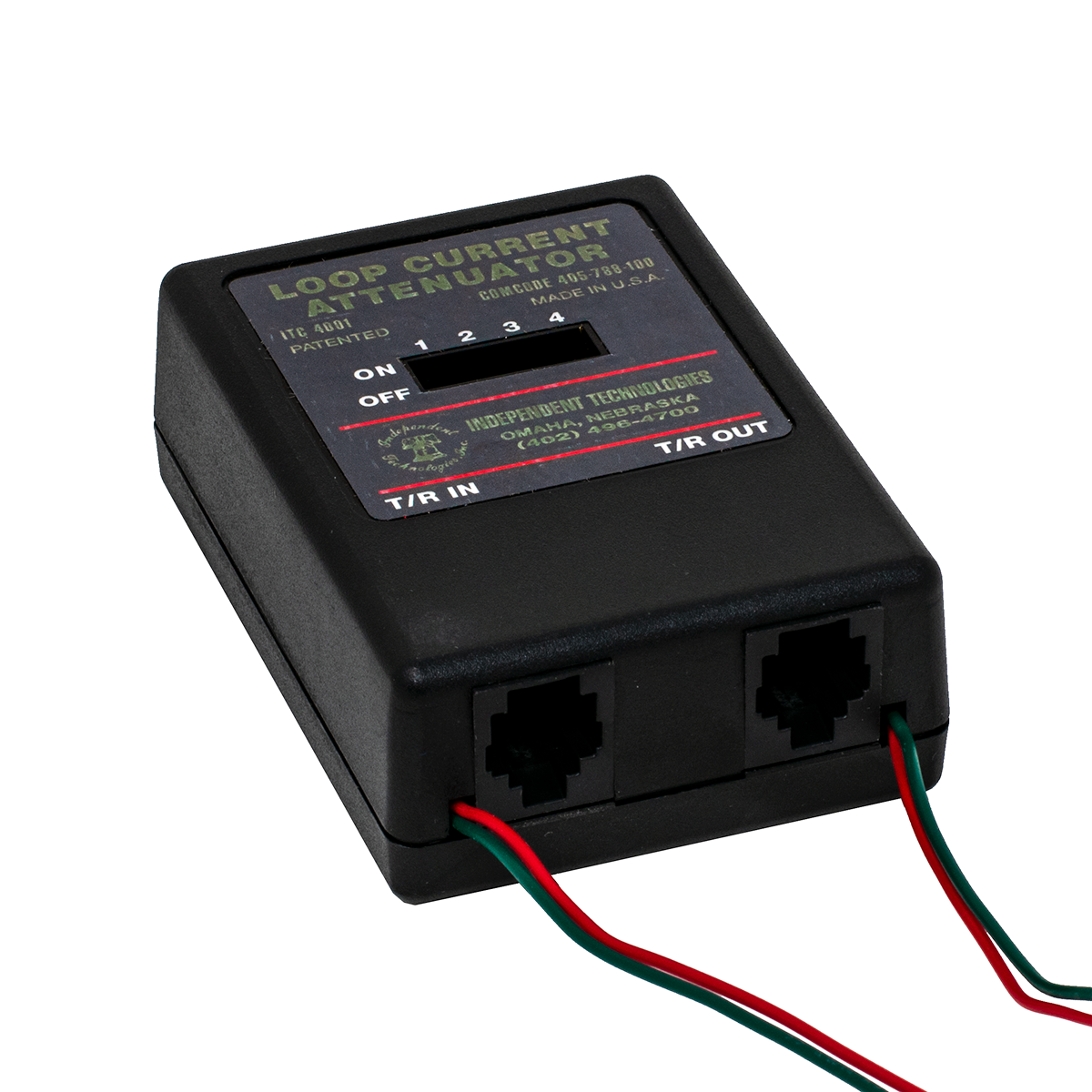
LOOP CURRENT ATTENUATOR
Loop Current Attenuator
FIX THE UNFIXABLE!
Our Loop Current Attenuator lets you reduce the Loop Current on a line by flipping one or more of the four DIP switches, as you watch a meter or Loop Current Tester for the current to get down to between 23 and 27ma.
There are no electronics in this Attenuator. There are only passive electronic components.
Greater than 35ma Loop Current symptoms include:
- Burned out Key, PBX and Data equipment
- Cut-offs and squealing on lines
- Crosstalk, echo or hollow sounds
- Off premise equipment problems
- Garbled data and modems that won't connect
NOTE: Because there are no electronics in the Loop Current Attenuator, if the Loop Current on the line changes down the road, you'll need to adjust the Loop Current again by connecting a meter, and flipping the DIP switches until the Loop Current is again between 23 and 27ma.
Part Number: WAL1T Price: $42.95
MODEM FILTER
|
Reduce
Cut-offs |
 |
Increase Modem
Speed |
|
It only
seems like Magic! |
The MODEM
FILTER filters noise
you can't hear...
Some modem problems are caused by
common mode noise and spikes on the phone line.
You can't hear these noises, but
they affect:
-
The speed the modem connects at
(modems retrain to find a dependable speed)
-
The data rate or throughput of
the modem (greatly effected by errors causing data to be
retransmitted)
-
How often calls are dropped
If you have common mode noise on your line, the MODEM FILTER will immediately fix these problems!
Because
of the Modem Filter's design, it also stops common mode spikes on the line that can damage your modem.
Easy to Install:
Plug the Modem Filter into the modem, and plug the line cord into the Modem Filter.
No other connections or power needed.
NOTE:
We also have a Modem Protector™ with a Modem Filter built-in, which will control the loop current on your
line as well as eliminate common mode noise, letting you achieve the maximum modem speed possible on your particular phone
line (as well as preventing damage to your modem from high loop current).
SINGLE LINE MODEM FILTER
One pair passes through Filter (RJ-11).
Part Number: WAL4P Price: $16.95
TWO LINE MODEM FILTER
Two pairs pass through Filter (RJ-14).
Part Number: WAL4T Price: $21.00
GROUND START POWER FAIL PHONE
Ground Start Power Fail Phone
Go off-hook, push the button on the phone,
and it ground starts the line to get dial tone.
Neon Lamp lets you see which phone is ringing,
if you have several phones side-by-side.
Incoming calls are answered normally when the phone rings and the neon lamp lights.
Ringer on-off switch (on the bottom of the phone) lets you leave the phone plugged in all the time, and turn the ringer on only during a power failure. The Ground Start Power Failure Phone has a regular mechanical bell ringer.
Data Port on side of phone works with a modem. To use the modem on the Ground Start line, push the button as you tell the computer to start dialing, then let it go after half a second or so.
You MUST put ground on the White/Orange (Black) wire at the frame, going to the phone. The ring side of the line must be on the Blue/White wire (the jack must be the correct polarity) for the Ground Start Button to work properly.
When used on a Loop Start line, it works like a standard phone... just go off-hook to get dial tone.
Part Number: MSC1H Price: $39.95
HOWLER Hangup Device: Disconnects a Phone Line that's Left Off Hook!
If your child or pet has ever knocked a phone off the hook, and nobody could call you all day, The Howler Hangup Device will hang up the phone for you!
If your modem locked up and nobody could call you all day, The Howler Hangup Device will hang up the phone for you!
If your mother or grandmother has ever knocked their phone off the hook, and you couldn't call them all day, The Howler Hangup Device will hang up the phone for them!
It's like having someone checking your phone line for you, all the time!
The Howler Hangup Device disconnects the line when it hears the loud beep-beep-beep that the phone company uses to tell you to hang up your phone when you've left it off hook (called a "Howler"). The built-in ringer will alert you if you have a call while your phone has been automatically disconnected. When you finally hang up your phone, The Howler Hangup Device reconnects it automatically, and waits for the next time!
The Howler Hangup Device installs easily in front of a single phone, or you can install it in front of all of the phones or a phone system in the home or office (just make sure you can hear the built-in ringer which reminds you to hang up the line).
Also works in front of phone systems, when the phone company doesn't provide a CPC Signal (Calling party Control) to release the call from hold or drop the voice mail when the outside party hangs up. The Howler Hangup Devicer disconnects the line, which will cause the phone system to drop the line so it's ready for the next call (all happens automatically).
Because the Howler is such a distinctive tone, The Howler Hangup Device cuts off the line very quickly.
- Complete with A/C Adapter and Built-in Ringer
Click here to listen to a sample message followed by the howler tone. Be sure to turn down your speakers!
Part Number: WAL3R Price: $49.95
CPC TESTER
CPC Signal Tester
CPC stands for Calling Party Control
The CPC Tester will tell you whether you're getting a CPC signal,
which tells your system the trunk has hung-up.
In the US, a CPC signal is an open loop (0VDC), typically for 800ms. If the telephone equipment is programmed to detect an open for 500ms (usually called Open Loop Disconnect Time in the system programming), the phone system will hang-up the trunk when it detects the 0 volts for 500ms (even though the open loop continues until 800ms).
Without the CPC Signal, voice mail, answering machines, dictation machines and any other automatic telephone equipment won't hang-up when the outside party hangs-up.
The CPC Tester makes it incredibly easy to see if you're getting a CPC signal, and what the duration is. Once you know if you're getting a CPC and the duration, you can program the phone system to detect an open for that amount of time.
The CPC Tester also detects a reversal, which is no longer used in the US (since the last Step-by-Step switch was upgraded). Battery Reversal is still used in some foreign countries as a CPC signal, which means that foreign telephone equipment used in the US probably won't detect an Open Loop Disconnect.
It's easy to use:
- Plug it into the line
- Make a call, and have the person on the other end hang up
- The top red LED will flash for the length of the CPC signal, and one of the lower LEDs will light up indicating the duration of the CPC signal
It's Line Powered, and there's NO Button to Push!
If you're not getting the CPC signal from the phone company, you can usually ask them to supply it on the phone line. If you are getting it, then you have to find out why your phone equipment isn't detecting it, or why the system isn't passing the signal through to the single line station port with voice mail, a dictation machine, etc.
More information about CPC is in our CPC Tech Bulletin. Be sure to take a look at it before going to battle with the Phone Company!
If you can't get a CPC signal, see our CPC Generator and DTMF
Flash Generator, a little farther down the page
NOTE: Most phone lines give a very short CPC (open loop) signal either as soon as you pick up the line, or as soon as you've finished dialing. You'll see this open loop on the CPC Tester. If the phone system is programmed for a very short open loop (like 20ms), you may not be able to make any phone calls because the phone system thinks it's getting a CPC signal right at the start of the call. The CPC Tester could help diagnose that type of problem, where the fix would be to simply change the Open Loop Timer in the phone system to 500ms.
Part Number: TOH7N Price: $49.95
CPC GENERATOR
MAKE A STATION PORT HANG UP!
Many Phone Systems don't pass the CPC Signal (Calling Party Control) from the CO Line to the station port.
Those systems then usually return dial tone or a busy signal to the station port after the CO line disconnects, which keeps the Voice Mail or other device from hanging up.
The end result is Voice Mail messages that have a lot of junk at the end of them, or ports that stay tied up for a long time (or until manually reset). This makes it necessary to have more ports and bigger hard drives than are really needed, to make up for the lack of a CPC Signal.
The CPC Generator is specifically made to go in-front of a voice mail system, where phone calls are never put on hold. If you put this in-front of the CO line on a phone system, where conversations are taking place and someone could be put on hold, it probably will cut the callers off when it hears music (which by definition is a repeating cadence). We do have a version of the CPC Generator that will wait for 18 seconds of repeating cadence, which is pretty safe, but that means there will be 18 seconds of busy signal at the end of each voice mail message.
We have several models of the CPC Generator, which listen for different things. We have a model that listens for 4 seconds of steady tone and repeating cadence (reorder or busy), one that listens for 10 seconds of steady tone, repeating cadence AND silence, models that listen for ONLY steady tone (4 seconds and 10 seconds), and a model that listens for 18 seconds of repeating cadence. When you call us to order, we'll ask you what your application is. There are actually two part numbers to make a CPC Generator.
It's generally safe to use our model that listens ONLY for 4 seconds of steady tone, since you'd almost never hear that during a conversation - but you may not be lucky enough to have dial tone when the trunk hangs-up (it's often silence or reorder/busy). The model that listens for 18 seconds of repeating cadence is also pretty safe to use (not many musicians can play the same exact beat for 18 seconds).
It's not a good idea to use the CPC Generator to solve a paging problem, where a busy signal or dial tone will continue over the speakers for 4 seconds until the CPC Generator kicks-in (leading to bodily injury to you the next time you go back to that customer!).
The best solution for phone systems that don't have an external page port, and where a spare CO trunk isn't available, is to use the speaker leads in an electronic station set. Find an old phone, put it in the phone room, cut the speaker out and connect the speaker leads from the phone to the input of the page amp (program that phone for the page zone you want). You may need our Audio Transformer with Volume Control, to isolate the phone system from the page amp (to prevent hum and noise).
Station-level paging is usually hard to use on a phone system because of the lack of CPC. If you need zone paging, you may be able to use multiple electronic phones with the speaker leads wired to the Zone Paging Adapter? Our DTMF Flash Generator may also help in that case.
Help for:
- Voice mail
- Dictation Machines
- Answering Machines
- Remote Control Systems
Click here to go to our CPC Technical Bulletin
Our Howler Hangup Device listens specifically for the telco Howler tone, which is safe to use on trunks. It triggers very quickly, since the howler is such a unique tone. That may also solve your problem.
Part Number: MIS1I Price: $74.95
3 MINUTE SILENCE CHIP for CPC Generator
This chip is pretty safe to use for silence detection, since it's unlikely someone wouldn't come back on the line within three minutes if they are left on hold.
Part Number: TLS7G
60 SECONDS of SILENCE OR BUSY / REORDER CHIP for CPC Generator
This chip will cause an open if it hears 60 seconds or either Silence, Busy or Reorder signals.
Part Number: TLS7N
60 SECOND SILENCE CHIP for CPC Generator
Part Number: TLS7Q
4 SECOND REPEATING CADENCE / STEADY TONE CHIP for CPC Generator
Part Number: MIS2H
10 SECOND REPEATING CADENCE / STEADY TONE / SILENCE CHIP for CPC Generator
Part Number: MIS9H
18 SECOND REPEATING CADENCE CHIP for CPC Generator
This chip is pretty safe to use for a repeating cadence (Busy or Reorder), since it's unlikely music would have exactly the same repeating beat for 18 seconds (but not impossible).
Part Number: TLS7R
4 SECOND STEADY TONE CHIP for CPC Generator
Part Number: TLS7S
10 SECOND STEADY TONE CHIP for CPC Generator
Part Number: TLS7T
DTMF FLASH GENERATOR
DTMF Flash Generator
This amazing line powered device will flash (or hang-up) the line for up to a second in response to a pre-programmed code. It's always listening on the line.
A great device for phones without a flash key or no buttons left to program as a flash key. Put it on an Automated Attendant and allow it to do a Centrex flash right on the CO line, to transfer calls off premise. Put it on a cordless phone with no flash key. It will always flash the line for the pre-programmed time when it hears the pre-programmed trigger code. No guessing about how long to hold down the hook-switch! Dial the code from a phone on either end of the call.
The DTMF Flash Generator works well in response to DTMF A, B, C and D tones (fourth column tones).
The line powered DTMF Flash Generator is easily installed in-series with an analog CO line or station port using a modular jack. Programming is password protected, for remote or on-site programming via a DTMF phone.
Using the DTMF Flash Generator to provide a CPC:
Many phone systems allow in-band signalling to indicate to the device connected to an analog station port that the trunk has received a CPC signal from the phone company, and the outside party has hung-up. In-band signalling can be a DTMF digit (including A, B, C and D fourth column tones), dial tone, busy signal or reorder tone. These tones are usually used to signal a voice mail system that the outside party has hung-up.
It's usually necessary to program the phone system's analog station port as a voice mail port in order to use in-band signalling (this is how integration was done in the past). If the system supports sending a DTMF digit when it receives a CPC signal on a trunk, this is the most dependable way of proving an open-loop disconnect to the device on the analog station port. Any other methods have to recognize a tone or silence, which can lead to cut-offs when you don't want them.
Keep in mind that even if the phone system does support in-band signalling when it receives a CPC on a trunk, it may not send the DTMF digit when on a station to station call. That means that a voicemail will hang-up on trunk calls, but not on messages left from a station
In any event, you'll have to do some programming and testing, listening to see if there's a DTMF digit as a CPC on both trunk-to-station and station-to-station calls.
Part Number: MIS1D Price: $52.95 ||| 3+ Price: $49.95
MAKE A SILENCE DETECTOR, TO CREATE A CPC SIGNAL
If you're brave, you can make a silence detector yourself out of some of our relays.
Most voice mail systems detect silence with no problem. For the occasional phone system that returns silence instead of some kind of tone, and your voice mail won't detect it, you'll need a Silence Detector.
This device will work fine on voice mail, where it's unlikely there will ever be much silence, but it won't work well in front of a phone system where someone could easily be put on hold - and there'd be silence on the line for a minute or more, which would cut the caller off.
How to use our Wizard's Tool Box Relays to make a Silence Detector
This circuit will detect from 5 to 50 seconds of silence. To be safe, you might want to add another timer relay between the VOX (Audio Controlled Relay) and the Flash Relay. Our Timer Relay can be set to operate between 1 and 60 seconds, or 1 and 60 minutes. I suppose looking for 4 minutes of silence would be pretty safe?
This solution might also solve problems with T1 channel banks, and other types of "odd" phone lines without CPC, but I personally wouldn't take a chance since there can easily be a minute of silence on a call on-hold.
AREA CODE DIALER... Pre-Programmed for YOUR Area Code

Dial 7 Digits for Your Local Calls!
Pick up the line and dial your phone number. If it's a local call, or any area code that you dial often, just dial the 7 digit phone number. The Area Code Dialer will listen for the 7 digit number, hang-up for a moment, and then redial the phone number with 1 plus the Area Code - or just the Area Code added to the 7 digit number you dialed.
It all happens a moment after you're done dialing the 7 digits!
The Area Code Dialer ignores all other numbers: 10 or 11 digits, 3 digits (like 911), or 1 digit (like the Operator). It will only add the area code you need to a 7 digit number.
We program it for you! You just tell us the area code, and whether to dial a 1 first. That's it!
The Area Code Dialer is line powered (no external power or batteries required). It's Modular in and out, and simply goes in-series with a regular analog phone line and a phone or phone system CO port.
If you put the Area Code Dialer on the CO line in-front of a phone system, it will work for all the phones using that line on the system.
If you put the Area Code Dialer on the CO line in-front of all the phones in a house, it will work for all the phones using that line. Even a Burglar Alarm or another type of dialer!
Part Number: MSC5Q Price: $69.95
THE MODEM PROTECTOR™ with FILTER
|
Modem
Disconnects? |
|
Speed
Falls Back? |
|
Modem
Stopped Working at a Hotel? |
Many PBXs put out way
too much loop current for a tiny PC Card Modem.
So what happens? It
Burns Up at the WORST possible time!

Worry Free Connections in any Hotel, Office
or Home...
The Modem Protector™ with FILTER:
30 Day
Money Back Guarantee
Buy one now, or wait until you blow up your modem when you need it most!

See our Modem
Protector™ Tech Bulletin to see how The Modem Protector™ protects your modem.
See
our Loop
Current Tech Bulletin for complete technical information on Loop Current.
Part Number: WAL4O Price: $53.95
ECHO STOPPER
LINE IMPEDANCE MATCHER - ADJUSTS THE IMPEDANCE!

Echo Stopper
Adjustable Line Impedance Matcher
Patent Pending
Matches telephone equipment
to the phone line to reduce echo
and fix DTMF recognition problems.
Makes up for impedance mismatches between the phone line and the
trunk card's hybrid transformer.
Stops Echo on VoIP Phone Systems!
The Echo Stopper Adjustable Line Impedance Matcher changes the impedance from about 600 to 1200 ohms, depending on which way the Red Range Switch is pushed, and how you adjust the recessed POT.
If you always hear echo on every call, and you don't
hear echo using your Butt-set, there's a 99% chance
the Echo Stopper will eliminate the echo.
That's it!
The Echo Stopper enables a technician to adjust the impedance of a phone line to match the hybrid transformer on the CO line card on a phone system. VoIP phone systems are most likely to have echo problems because of the time it takes to convert analog to VoIP packets.
Cellular to POTS adapters (like Telular®) also have a lot of delay, and are likely to have echo if there's an impedance mismatch that's greater than the built-in echo canceller can handle.
Because the technician can adjust the Echo Stopper, impedance mismatches caused by improperly placed load coils can be adjusted to make the telephone system's hybrid as efficient as possible, reducing reflected signals and echo. It's difficult to detect improperly placed load coils, and most phone companies will ignore a trouble call like this.
Since DTMF digits are easily distorted by impedance mismatches, the technician may be able to improve DTMF digit recognition on automated attendants and voice mail systems with the Echo Stopper.
If you can reproduce the echo or DTMF digit recognition problems, you should be
able to determine if the Echo Stopper will help in minutes.
To use the Echo Stopper, the technician must be able to reproduce the echo. If the echo is intermittent, it probably can't be fixed by the Echo Stopper since it's either coming from the other end of the call, or caused by the lack of echo cancellers on only some trunks in the CO. When you hit a trunk in the CO without an echo canceller, you hear echo on that call. There's nothing that a technician can do to fix that problem, unless the phone company will help (unlikely!).
The technician can listen for the echo by either calling in to the system from another line, or using a phone on the system to call out. The technician simply tries the Echo Stopper on the line being tested by putting it in-series and adjusting the POT until the echo goes away. If the echo doesn't go away, just hit the Red Range Switch, and try adjusting the POT again. It's modular in and out (direction doesn't matter, use either mod jack).
The Echo Stopper comes with a 2 foot solid copper mod cord which can be cut, and punched down on a 66 or 110 block.
In the old days, telephone system manufacturers often put jumpers on the trunk card, or allowed the technician to choose a 600 or 900 ohm termination in programming to match the impedance of the phone line. Many manufacturers have stopped giving technicians that option, which has made it impossible to get rid of problems caused by the impedance mismatch.
Today, simply choosing 600 or 900 ohms may not be enough. If there are improperly placed load coils on a line, it might take 850 or 1150 ohms to best match the impedance of the line to the phone system's hybrid. The Echo Stopper's patent pending technology lets the technician adjust for the closest impedance match, giving you the best shot at eliminating echo and DTMF problems.
There are no testers that are easily used in the field to allow a technician to determine the impedance of the telephone line or CPE equipment. The quick test is to put the Echo Stopper in-series with the telephone line or analog station port, then adjust the POT/Range Switch to see if your problem clears.
Changing the impedance of the line can correct quite a few problems:
- DTMF Recognition Problems
- Volume Problems
- Distortion Problems (funny sounding voice)
- Echo Problems
- Modem Speed or Connection Problems
- Cellular to POTS adapters (like Telular®)
The Echo Stopper isn't Magic... But it's Close!
The Echo Stopper is not an echo canceller, which is usually built-into VoIP phone systems. The Echo Stopper changes the impedance of the line before it gets into the phone system, which reduces audio that's reflected by the hybrid (that causes echo). There's only so much echo that a phone system's echo canceller will eliminate. If you hear echo for the first second or two of a call, the built-in echo canceller is training itself. Using the Echo Stopper in-front of the phone system can reduce echo to the point where the built-in echo canceler can work.
If you'd like more information on how the impedance of the phone system, analog station port or phone line can cause problems, see our Echo Elimination and DTMF Problem Tech Bulletin.
Keep an Echo Stopper in your case...
It will only take you a few minutes to try it, and there's
no way to know if it will work if you don't try it!
Part Number: WAL5F Price: $49.95 ||| 3+ Price: $47.95 ||| 10+ Price: $45.95
TECHNICIAN'S ECHO STOPPER KIT