


 View Cart
 Search Our Site
 Products
 Knowledgebase
 Company Info
 Contact Us
 Help
HelpEcho and DTMF Troubleshooting Bulletin
While echo problems were few and far between in the past, eliminating echo has become a challenge when installing today's VoIP phone systems.
What's the quickest way to eliminate echo on a VoIP phone system?
Make sure that all the lines connected to the system are digital, delivered on a T1 or PRI!
That's easier said than done since there are so many analog phone lines out there. T1s are sometimes more expensive for both the monthly service and the card to connect the T1 to the phone system. T1s are usually more difficult to get repaired, and if a single T1 goes out it could affect up to 24 lines - leaving the customer with no telephone service (even with a T1, it's a good idea to keep a few POTS lines).
Digital lines probably won't stop the echo if it was created on the far end of the call or at the phone company itself. If you have a T1 you know the echo won't be coming from the interface between the phone system and the phone lines. A T1 may help echo created on the far end of the call, if the T1 provider runs all the calls through an echo canceller in their CO.
It's usually not economical for a customer with less than 10 lines to get a T1, but it may be necessary to eliminate echo if it can't be fixed any other way. Some CLECs are offering fractional T1s with only six lines at a reasonable price, but it might be expensive or impossible to get a T1 card for a particular small phone system.
It's worth doing a little troubleshooting to see if you can get rid of the echo. If you only spend $20 or $50 a line to get rid of the echo once (instead of a monthly cost), that's probably a lot cheaper than going to a T1.
The echo I'm talking about in this bulletin is from the connection between the phone system and an analog phone line, or an analog station port and the phone system. If you have echo on an intercom call between VoIP phones on the system, or only when using a speakerphone or a particular type of VoIP phone, you'll have to figure that out with the phone and/or system manufacturer.
Don't confuse an Internet T1 with VoIP phone lines, with a Channelized Voice T1 or PRI. If the customer gets VoIP lines from their connection to the Internet, that may fix the original echo problem - but the overall quality of the call will suffer because the voice packets will be routed over the Internet in a way that may result in garbled voice and echo (there's no way to control the path of the individual packets making up a conversation on the public Internet).
If a digital VoIP phone line is delivered from a private network (so the voice packets don't actually travel over the public Internet), the voice quality should be great. There should be no echo caused by the VoIP phone system itself if it's connected through a T1 or Ethernet connection.
In some cases, a LEC or CLEC brings a T1 into the building but because the phone system doesn't have a T1 card (it only has analog trunk ports), a Channel Bank is used to convert the T1 to up to 24 analog phone lines. They kind of look like analog phones lines, but most channel banks don't do a great job of emulating a real phone line.
If the channel bank is connected to a VoIP phone system you can have echo or other problems, just like from a POTS line. Echo might actually be worse with a channel bank since there are two 2 to 4 wire conversions using hybrid transformers instead of one on a regular POTS line (on a POTS line the conversion from the 4-wire digital CO to the two wires going to the premise is done at the CO).
Ten years ago, a customer with a T1 down was given a high priority by most LECs and CLECs. Problems were fixed within hours. Today, there are so many customers with T1s that a T1 is now a commodity, with a service level to match. If it's totally down it can usually be diagnosed and repaired quickly, but because of a lack of training and equipment at the LECs and CLECs, more esoteric or intermittent problems may be impossible to fix (and there's a lot of finger pointing from all parties). Fixing an echo problem by switching from POTS lines to a T1 may be like jumping out of the frying pan into the fire, but you might not have a choice.
One other thing that can cause echo and other problems is connecting a VoIP phone system designed for foreign (from other countries) POTS lines to US POTS lines (or vice versa). While a 2500 set will probably be usable anywhere in the world, there are enough differences in phone lines between the US and other countries that there could be echo, volume, and ringing problems when you use a phone system on the "wrong lines." If you hook up a Bulgarian phone system to a POTS line here in the US, it might not be pretty.
The first thing to check for when you have VoIP DTMF Problems...
While DTMF digits don't work well on a phone line with echo or impedance mismatch problems, which is the main topic of this bulletin, the first thing to check when you have DTMF digit detection problems on lines coming from a VoIP device are how the DTMF digits are handled by that device (or a VoIP device at the caller's end).
If you push a DTMF button on an analog phone connected to some kind of VoIP box in your home, when you're calling a Voice Mail or some kind of machine controlled by DTMF (like telephone banking), unless you do something special with that tone the audio touch tone will never make it (so it can be understood) to the other end. That's because of both the compression used by VoIP which changes the tone, and the fact that packets containing audio can arrive out of order - or not at all.
VoIP is designed for voice. You don't have to be able to hear an exact representation of the voice at the other end to be able to understand what the other party is saying. Bandwidth costs money and is always limited to some extent, and voice quality isn't very important these days, so squeezing as much voice into as little bandwidth as possible is "good." Even with burbles and distortion, it's not a fun conversation but you can usually get the idea of what the other person is saying.
If you play a touch tone, music, or even modem or fax tones on one end, the tones or music will sound bad, and most won't be recognizable to a machine (computer) trying to decode them. That was a real problem with VoIP until a solution was found to be able to transmit DTMF reliably (mainly for telephone banking and voice mail).
The VoIP DTMF tone recognition solution is called RFC2833 (or the newer RFC4733), a protocol used with VoIP which essentially removes the audio touch tone from the far end, replacing it with a data packet that represents that digit, which is understood by the VoIP device on the other end of the call, and is reproduced locally so the touch tone is perfect.
Well, almost perfect. The biggest problem is when the VoIP gizmo replaces most of the DTMF digit, but not all of it. That leads to a double digit being heard by the voice mail or whatever, at least sometimes (an intermittent that's really hard to troubleshoot!). When all of the original DTMF digit isn't replaced, the voice mail might hear 227 when someone is actually dialing 273. That isn’t going to work!
Try looking for something about RFC2833 in programming on the VoIP gizmo you're working with, or even on the person's VoIP gizmo on the other end (a near impossibility with a casual caller). Compare it to a known working gizmo to see what's different.
By the way, trying to send modem, fax or alarm data may be possible at a slow enough speed with a VoIP device designed for data (uses a different codec with less compression), but it's not 100%. Sometimes it works, sometimes it doesn't. For an alarm, you'd probably want something very very close to 100%.
Interfacing analog lines (or telephones) with VoIP phone systems
Remember... If fixing echo was easy, anybody could do it!
The hardest cases of trouble are when the echo is intermittent. That's usually because the phone company uses echo cancellers on some phone calls, but not on others. Some COs may be equipped with echo cancellers for long distance calls, but not for local calls. You have no control over whether the CO uses echo cancellers or not. If you have echo or DTMF problems only from certain COs or cities, that may be the reason.
You have absolutely no control of where the incoming calls come from, where outgoing calls go to, or whether incoming calls are originating on a VoIP phone line or system. Some of the echo is coming from the other end, and you won't be able to fix it.
The easiest echo to fix is:
1. Echo that you or the person at the other end of the call always hears on a VoIP phone system when you're talking on an analog line or trunk
2. Echo that you or the person at the other end of the call always hears on a regular phone system connected to a VoIP phone line (adapter), and where you don't hear the echo when you connect your butt-set directly on the line (with the phone system disconnected).
You've got a 99% chance of getting rid of those types of echo by correcting the impedance of the line using our Echo Stopper™ Adjustable Line Impedance Matcher.
If you can hear echo on a 2500 set or your butt-set right on the line all the time, it's probably impossible for you to fix it by doing something yourself at the premise. That's because echo you can fix is usually caused by the delay in packetizing analog audio into IP packets, and there's no delay created by a butt-set. It's possible to fix echo coming from a VoIP adapter if you hear it on a butt-set by correcting the impedance, but less likely.
VoIP phone systems have echo cancellers built in. Some work better than others. Even the best echo cancellers can't eliminate all echo, but if you correct an impedance mismatch it probably won't swamp the echo canceller in the phone system.
Sometimes it takes a second or two for the built-in echo canceller to figure out how to get rid of the echo - it's training itself for that call. If you only hear echo for the first second or two, you may be able to get rid of that echo by correcting the impedance with an Echo Stopper™. By correcting the impedance, the system's built-in echo canceller doesn't have to do as much work, so it may be able to train itself in a fraction of a second, rather than a second or two.
There's no way to anticipate if you'll have echo problems with POTS lines. When a phone system is connected to a digital line like a T1, the interface is very exact - adhering to technical specifications, and there's no analog to digital conversion on the trunks (but there may be a TDM to packet conversion in the system).
When you connect a POTS line to the system, the specifications of that phone line are so loose that what you get from either the LEC or CLEC is just a crapshoot. The interface for a T1 line doesn't change depending on the distance from the CO (and there's a single clock that keeps everything in sync), but a POTS line looks a lot different depending on the distance from the CO, the type of CO, and how the line is conditioned by the phone company. Nobody can guess how well it will work until you get it hooked up to a VoIP phone system.
Taking a demo system out to a prospective customer is a good idea if the lines are already in when you're proposing the job. If there are analog stations or OPXs involved in the proposal, make sure you go as far as you can in setting up the system like the customer would be using it - including swinging the OPX over to an analog port on the demo system to make a few test calls. If you hear echo, try an Echo Stopper™ to see if it will eliminate it.
If the OPX doesn't ring the far end and/or it won't work at all, try our Ring Voltage Booster™ and/or our Loop Current Booster™. The analog station ports on most modern phone systems and VoIP gizmos have lower loop current and lower ring voltage and talk battery than in the past. If the volume is low on an OPX, try our Long Line Volume Booster™ at each end.
POTS lines usually work OK on an old 2500 set or your butt-set, but it's a whole different thing hooking it to a VoIP phone system. When you have a problem with a POTS line and report it to the phone company, they make a single phone call from their butt-set and if it sounds OK, they'll close the ticket NTF (No Trouble Found). They don't care if it doesn't work with a particular phone equipment, even though in the real world nobody has used a 2500 set in a business for years.
The source of echo problems on modern phone systems is often the trunk, where a regular analog two wire telephone line interfaces with the digital phone system - which is "four wire," with separate transmit and receive paths inside the system. You skip the four-wire to two-wire conversion when you connect a T1 to the phone system, since both the T1 and the phone system use separate transmit and receive (four wires).
There's a transformer inside every analog telephone or CO trunk card whose purpose is to separate transmit and receive. It's called a hybrid transformer. The hybrid has two wires that connect to the trunk, and on the other side of the transformer are four wires - a pair for receive (going to the receiver in the handset in a standard phone), and a pair for transmit (going to the microphone in the handset on a standard phone).
That hybrid is the source of most echo problems that you can fix. The hybrid is basically two transformers wound around a core, or an electronic version of that. Some hybrids are better than others. What makes them better? They're more efficient, meaning that there is less "leakage" between transmit and receive, or reflected audio back out the two-wire side.
On a regular 2500 set the hybrid in the network purposely sends some of the transmitted signal from the mic to the receiver, which is called sidetone. The hybrid used on a trunk card is much more efficient than a 2500 set because the sidetone isn't needed on a phone system (it's created at the station, so the conversation is more natural to the user).
Even though the hybrid on a trunk card is efficient, it's not 100% efficient. Some of the transmitted data "leaks" and gets mixed with the received data or reflected back to the caller on the 2 wire side. It's at such low volume that the leakage just doesn't matter using an analog or regular digital phone system.
The biggest problem with that inefficiency on regular phone systems is that if you try to amplify a two-wire telephone line at some point you'll get squealing due to the feedback from transmit to receive, just like you'd get if a microphone is too close to a speaker on a PA system. The feedback is why you don't see amplifiers for two wire telephone lines, and why you don't see amplified conferences on phone systems - at some point you'd get the squealing, usually before you've amplified it loud enough to hear well.
So, you've got feedback on an analog phone or phone system from the inefficient hybrid, but it's never mattered until now because you can't hear it (it's happening at almost the exact same time, so you don't hear it as "echo"). That same hybrid is on the trunk card on digital phone systems we've been using for years, and we've never had an echo problem (until VoIP came along).
A digital phone system takes analog speech and runs it through a codec (Coder-Decoder) that digitizes or "undigitizes" the audio. The codecs on traditional digital TDM phone systems are so fast that there is very little delay, and even though some of the transmitted data is mixed with the received data in the hybrid, the delay is so small that we've never noticed it (but it's there). You'd be hard pressed to hear any difference between a call on an analog phone system and a digital (TDM) phone system. VoIP is a different story...
When the Internet was created, it was determined that packets of data would be much more efficient traveling long distances than a single digitized stream of data (like TDM in a digital phone system or on a T1). Packetization means that the web page you're looking at could have gotten to your computer through several paths across the country. Some of the packets may have gone through Florida, and some may have gone through California. The delays for each packet are normally much less than 100ms (a tenth of a second) per segment between routers on the Internet (it may take quite a few segments to get to you). Your computer puts the packets together in the correct order, so you see everything in the right place on your screen. If it takes half a second longer to get the top part of the web page than the bottom part, nobody cares.
When people decided to put voice on the Internet, they had to divide the conversation up into packets. That's the only way the public Internet can get data from one place to another. There have been many methods of digitizing voice through the years. Until the Internet it really didn't matter how it was done - the results were essentially the same. Unfortunately, the only way to digitize voice and put it on the Internet is to packetize it for the Internet using IP (Internet Protocol). While these packets work great for data, which can arrive a little late or in the wrong order, the whole concept works badly for voice over the public Internet (but it works OK on a LAN or private WAN).
One of the troubles with creating packets for IP is that it takes a while for the codec to do its work - digitizing the voice and putting it in the packets. It's not a real long time, but it's long enough for us to start hearing that inefficiency in the hybrid because there's a delay. With analog or TDM, there was little (or no) delay, and we just didn't notice the inefficiency as echo, even though it was there.
The better the hybrid matches the phone line, the less you'll notice echo on a VoIP phone system. If all phone lines were exactly the same, the hybrid would be as efficient as possible. Because all POTS lines are different in one way or another, the hybrid is never as efficient as it could be.
Echo doesn't just affect voice. While it's annoying to talk on a call with echo, there's a good chance that an automated attendant or voice mail system won't work correctly on calls with echo. The DTMF digits will look pretty strange to the device hearing them. A 60ms DTMF digit followed by 50ms of an echo of that digit can cause recognition problems that are tough to diagnose, especially if the echo is intermittent on incoming calls.
In most cases DTMF digits aren't actually transmitted as audio from end to end over the Internet for VoIP, they're sent as data. The line is split at the far end (the far end doesn't hear that little piece of audio), and the digit is reproduced at the other end of the call - throwing away the actual audio for that digit. The person pushing the DTMF key hears the audio in their ear... but the problem is that some of that tone is sent down the line to the other end as an echo.
Echo problems can also occur with analog station ports on a VoIP system since each port has a hybrid transformer interfacing the analog phone or OPX, and there's a delay involved in the codec that changes the four-wire digital (IP) side to the two wire analog side. Even with digital trunks, you may still have echo on calls involving an analog station on a VoIP system. Troubleshooting would be the same as on a POTS line with echo. In some cases, you just won't be able to fix it, but if it's caused by an impedance mismatch you can probably fix it with the Echo Stopper™.
If it's Near End Echo, users on the phone system won't hear the echo, but the caller on the other end of the call will hear the echo. In that case, you need to call into the system to hear the echo as you're trying to fix it (with echo canceller settings in the system, attenuation, or the Echo Stopper™).
Echo problems can also show up only when the user is on a speakerphone when regular calls on the handset aren't a problem. On VoIP calls if the transmitter in a phone can hear the audio coming through the receiver, there's a good chance you'll get echo - but if the user is on a handset the receiver is usually sealed against their ear, and the transmitter never hears the received audio (unless the user has a hole in his head?). On a speakerphone it's very difficult to totally separate the transmit and receive audio, so the design of the speakerphone is important as to whether it will work OK on a VoIP system or VoIP phone line.
Fixing the echo problems...
These are the troubleshooting steps to take:
STEP 1: Echo cancellers
STEP 2: Attenuate (reduce) the volume of the line
STEP 3: Impedance problems
STEP 4: Loop current problems
STEP 5: Induced AC on the pair
STEP 6: Order a T1
Remember... If it's Near End Echo, users on the phone system won't hear the echo, but the caller on the other end of the call will hear the echo. In that case, you need to call into the system to hear the echo as you're trying to fix it (with echo canceller settings in the system, attenuation, or the Echo Stopper™).
-
STEP 1:
If you can adjust the echo canceller in the phone system from programming, see if that helps. Setting the echo canceller too high will either do nothing, cause clipping of one or the other party when both people try to talk (kind of a ticking or buzzy sound) or create distortion so that the voices sound unnatural.
Even if a previous technician told you that he adjusted the echo cancellers, check it anyway. You can't skip any steps in the troubleshooting process. Assuming anything can cause you to chase your tail for hours or even days.
-
STEP 2:
If you can adjust the volume of the phone line (the dB level) in the phone system from programming, see if that helps. Since the echo should be pretty far in the background, reducing the volume of the phone line by a couple of dB might help. On the other hand, that 2dB could be the difference in being able to hear well on a phone call and having trouble hearing or being heard. Even if you don't leave it that way, try reducing the dB level to see if it gets you anywhere. The more you know about your problem, the easier it will be to get it fixed in the long run.
The only way to know whether attenuating the line (lowering the level) will help the echo is to put the attenuation in and see if the echo problem improves (without making it hard to hear).
Not all phone systems have adjustments for the dB level in programming, and sometimes reducing the volume on the line before it gets to the hybrid will help even when adjusting the gain in the phone system through programming doesn't (because there's less audio to get reflected back from the inefficient hybrid).
Depending on the amount of impedance mismatch, adding attenuation could correct echo in one direction, but make it worse in the other (if the outside party didn't hear echo before, you may have fixed the echo for the phone system user but have made it worse for the outside party - or vice versa).
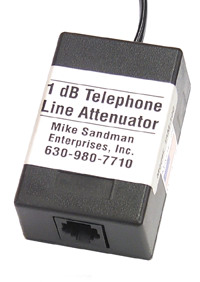
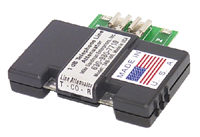
You can reduce the gain using hardware. Use regular 1/2-watt resistors, or dB attenuators made for reducing the level of a phone line (which are basically resistors in box with a connector). The pre-made attenuators come in 1, 2, 3, 4, 6 and 8dB models. You should never put more than 2dB of attenuation in-front of a VoIP system, since more attenuation than 2dB could actually make the echo worse in the other direction. Once you determine how much attenuation you need with resistors, you can order the attenuator you need, or just leave resistors on the line.
Note that a dB attenuator is not the same thing as a Loop Current Regulator or Attenuator, which is specifically made to reduce the loop current (DC) without lowering the dB level of the line (which is AC audio). Loop Current Regulators or Attenuators use capacitors to block the DC while letting the AC audio through to the phone system, so the user won't have problems hearing. For echo, you want to attenuate the AC audio to see if you can get rid of the echo.
You can simply put resistors in-series with both the tip and the ring to lower the dB level. 100-ohm resistors in-series with the tip and ring will lower the level of the line by about 1dB (be sure to use 1/2 watt or bigger resistors, or they could burn up). Putting 220-ohm resistors in-series with the tip and ring will bring the level down by about 2dB, and it also reduces the loop current by about 2ma.You can put resistors in-series with each other, like two 100 ohm resistors in-series to make 200 ohms of resistance.
You must always keep a telephone line balanced, so whatever you put on the tip side has to be the same as the ring side, or you'll create an imbalance (causing hum and noise). Never put just one resistor on a phone line!
Don't let the loop current drop below 23ma. You must measure the loop current while you're trying to attenuate the line to keep it from going below 23ma.
Putting in 1 or 2dB of attenuation temporarily to see if it helps the echo is fine while testing. The more you know about your problem, the better.
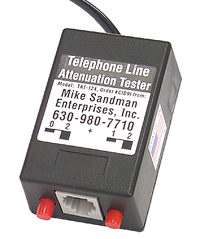
Modular 1 to 4dB Loss Insertion Tester You can use a Modular Loss Insertion Tester if you don't want to mess with resistors during testing. It lets you put 1, 2, 3 or 4dB of loss in a line, depending on the position of the two switches. Putting it in-series with a 4dB Modular Attenuator will let you insert 5, 6, 7 or 8dB of loss in a line (you'd only put that much loss on a very loud line, at a premise that's very close to the CO), but for VoIP you need to limit the attenuation to 1 or 2dB.
-
STEP 3:
If you can adjust the impedance of the phone line in the phone system from programming, see if that helps. The choices are usually 600 or 900 ohms. Sometimes there's a jumper or switch on the trunk card to select between 600 and 900 ohms. Sometimes there will be a choice for balanced or terminated. Terminated should be the first choice, but if it doesn't work, try balanced. All you're trying to do with these settings is match the impedance of the hybrid on the trunk card to the impedance of the phone line.
IMPORTANT NOTE: A customer called and said that on the Mitel systems he works on there's an Auto, 600 and 900 impedance setting. None of those settings work for him on that system, but he said he learned to set it at 600 ohms and let the Echo Stopper™ match the impedance of the line to the trunk card in the system. He said not to leave it on Auto! He said it takes about 20 seconds after going off hook for the echo to go away using the Echo Stopper™ if the system is set to Auto.
If it doesn't tell you the impedance is of the trunks in the manual, and tech support doesn't know, there's no field test equipment that will give you that information. Likewise, it's impossible to know whether the phone line is actually 600 or 900 ohms.
Connecting a 600-ohm phone line to a 900-ohm phone system (or vice versa) usually doesn't matter, but an impedance mismatch can make the hybrid less efficient, causing echo on a VoIP system. The echo effects the conversation, but even more frustrating is the echo from an impedance mismatch that causes DTMF recognition problems (that are difficult to diagnose/repair).
Since you can't measure the impedance of the phone line or system, the only way to see if there's an impedance mismatch is to change the impedance to see if the trouble clears. The easiest way to do that is with the Echo Stopper™ Adjustable Impedance Matcher. This is as close to magic as it gets.
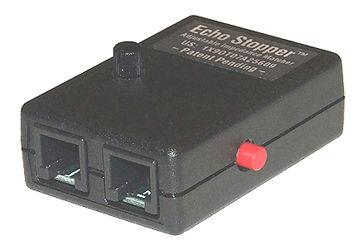
Echo Stopper™ Adjustable Impedance Matcher To use the Echo Stopper™ you must be able to reproduce the echo. Call in to the line you're working on from another line or call out on a system phone to another line. Put the Echo Stopper™ in-series with the phone line and adjust the black POT on top to see if the echo goes away. If not, push the Red Range Switch, and again adjust the recessed pot. If the echo goes away, you need an Echo Stopper™ on that line because you have an impedance mismatch. If it doesn't help, you don't need it.
In the past, we've had a 600 to 900 Ohm Impedance Matcher to help get rid of echo problems, but it wasn't all that effective. We finally figured out that phone lines are seldom exactly 600 or 900 ohms. Likewise, a phone system may not be exactly 600 or 900 ohms. When we made the Impedance Matcher adjustable, the echo just magically disappeared when we turned the POT. As you adjust the POT, the impedance changes. On the lines we've tested it on, the POT usually has to be turned quite a bit to get rid of the echo, which demonstrates that we're not dealing with a clean 600-ohm or 900-ohm impedance, but somewhere above or below that. Don't forget to try the Red Range Switch in both positions.
Unfortunately, there are more sources of impedance problems that can make the hybrid less efficient, causing echo. In some cases, the solution may be less expensive than an Echo Stopper™ ...
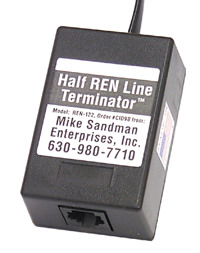
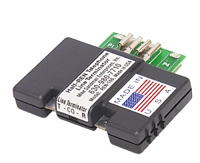
Sometimes the line isn't terminated at voice frequencies. A quick test is to bridge a 2500 set (on-hook) or your butt-set in monitor position on the line to see if the echo and/or DTMF problems go away. If they do, you can put a 600-ohm resistor in-series with a .47mf capacitor, across the line. If you don't want to mess with a resistor and capacitor, you can get a Half REN Line Terminator.
Another cause of impedance problems is misplaced load coils. Load coils are inductors that are placed on a phone line at certain intervals to boost the volume of the line. They are absolutely necessary on long loops, or you wouldn't be able to hear. Unfortunately, the plant records (which document where all these load coils are) are pretty bad. Nobody knows where a lot of the load coils in this country are. If they're on a line where they're not needed, they cause impedance problems.
Load coils are normally added to a whole binder in a cable (25 pairs), so when an order for a new line goes to engineering, they just pick pairs that are already loaded, if load coils are needed. Sometimes they run out of loaded pairs in a particular direction, and they add load coils just to the pairs being installed. When that customer moves, those pairs are reused - but often the records don't indicate that there are load coils on the pairs, so the new customer gets a pair with load coils that screw up the impedance of the line (because they're not needed).
Load coils are normally placed on long loops - about 18,000 feet or more. There are strict guidelines for their placement. If they're put in the wrong place, they change the impedance of the line and cause volume, DTMF, or echo problems. The first one has to be 3,000 feet from the CO, and the following load coils are placed at 6,000-foot intervals. There must be 3 or more load coils on the pair.
So what if there's a stray load coil here or there? For speech on a 2500 set, it won't matter much. For a 56K modem, it will slow it down. It will probably stop an ADSL modem from working. For calls answered by an automated attendant, voice mail, fax server, or anything else that needs to hear DTMF digits - it may make digit recognition flaky. For speech on a VoIP phone system, it causes echo because the impedance of the line isn't correct, which makes the hybrid transformer less efficient.
Finding misplaced load coils is very difficult. Trying the Echo Stopper™ will let you adjust the impedance of the phone line to improve the impedance match. Seeing if the echo is fixed by the Echo Stopper™ first makes sense.
If you have echo or DTMF problems and have checked all of the other fixes listed here, ask the phone company for a meet to find out if there are mis-placed load coils. You can ask them (in advance) to bring out a TDR (Time Domain Reflectometer) because you suspect mis-placed load coils, but the guy will likely show up without one. Maybe they'll bring it out on the second meet? Maybe they have one?
The phone man will connect the TDR at the premise, and look back towards the CO. The TDR will give him a graphical representation of every splice, connection and half-tap on the pair, as well as the first load coil. The TDR will show the feet to each squiggle (connection), which the phone man can then walk or drive to. The load coil has a specific squiggle (signature) on the graph.
Some TDRs are able to see past the first load coil to see other load coils on the line. The phone man will be able to figure out the length of the pair from the CO, check the records for that line to see if the pair should be loaded, and see whether the load coils that are on the line are where they should be - or if there's one or more that shouldn't be there at all.
Dealing with the phone company is probably as hard as it gets, since you're depending on the phone company to confirm your suspicion. The phone companies do OK at fixing a problem if you diagnose it and tell them what's wrong, but they don't do well at finding these kinds of problems themselves.
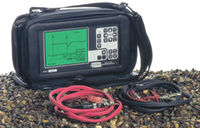
Riser Bond TDR There are two types of TDRs. The most common type can only see to the first load coil from the premise. Riser Bond sells one that will see all of the load coils on the line. Neither are cheap. Riser Bond is at 800-688-8377. I don't think you can rent TDRs that will see past the first load coil, but if you just need to see to the first load coil, I think those are available at communications equipment rental companies.
-
STEP 4:
Check the loop current on the line. High loop current will cause the components on the trunk card to run hot. Sometimes hot enough to damage them, and sometimes hot enough to make the components so warm that their value is outside the range that the engineer was expecting when he designed the circuit. Maybe they'll be louder than normal, which would increase the echo?
Running the system with high loop current means you're now the first one to test the phone system to see if it works at that high of a loop current. The normal range for loop current is 23 to 35 ma (some telephone equipment doesn't like anything higher than 27ma).
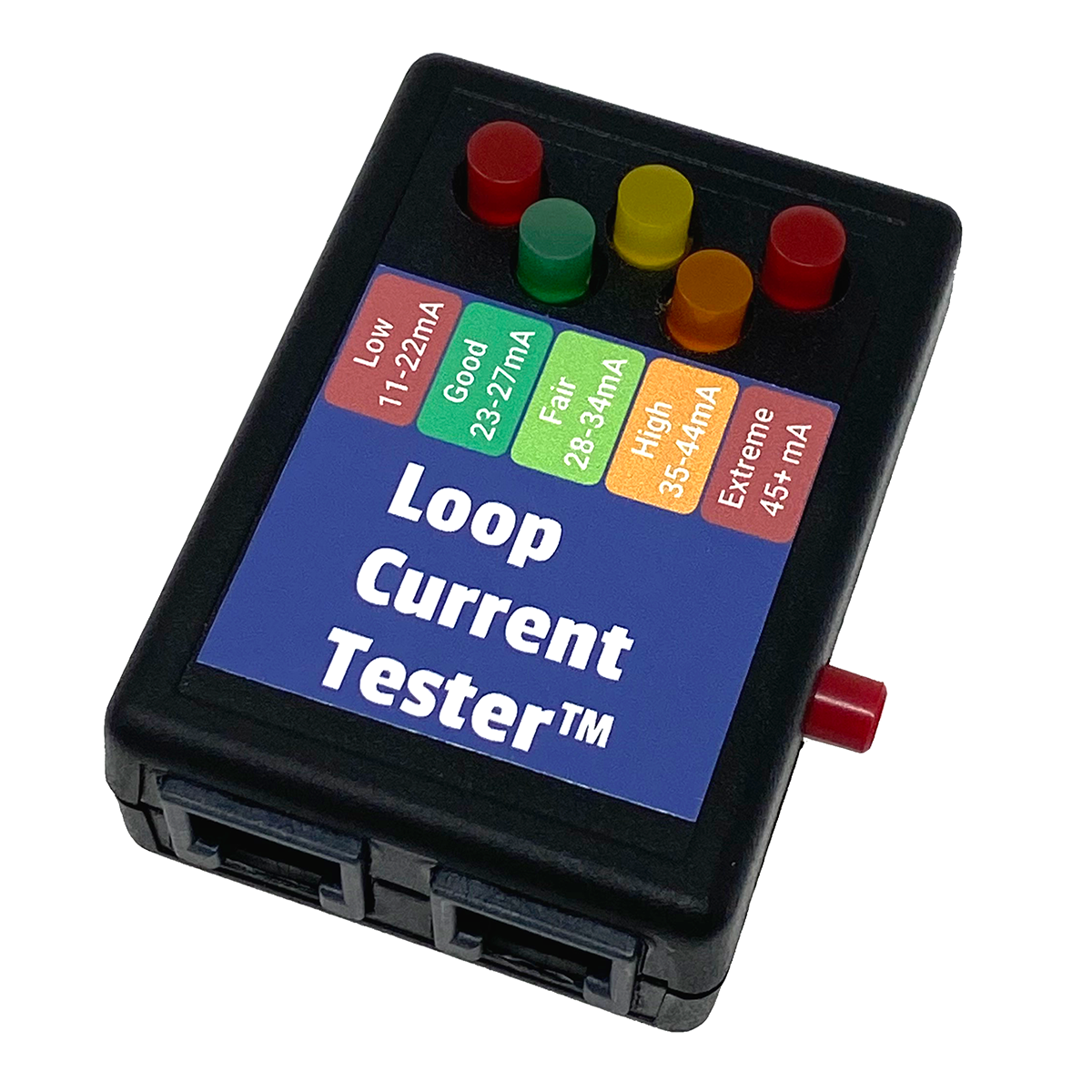
Loop Current Tester™ Low loop current also causes strange things to happen when the components run out of spec, so it's definitely worth checking the loop current. You can check it with any digital meter that has a range for DC ma. Be sure you set your meter to DC current, be sure you use the correct banana jack (the + lead often goes in a different jack for current than for voltage), and you are connecting the meter in-series with the tip or ring, so the electricity is flowing through the meter.
You'll read about 0ma (or maybe .01ma) when you're on-hook (hung-up), and the actual loop current when off-hook. You can only go off-hook with one telephone for testing, don't go off-hook with the phone system and your butt-set at the same time or your reading will be meaningless!
The Loop Current Tester is easier to use than a meter. Just put it on a line, press the button, and an LED will light indicating a range for the loop current (from LOW to EXTREME).
-
STEP 5:
Check for Induced AC on the pair (see DTMF Problems a couple of paragraphs down). Generally speaking, anything over .5VAC from tip to ground, ring to ground or tip to ring can cause problems with any kinds of tones on the line (modem, fax, DTMF). It generally won't affect a simple 2500 set or Butt-Set, but anything that's plugged into an AC outlet like a modem, fax or phone system can get really screwed up by induced AC on the line.
-
STEP 6:
That's all you can do. It's time to get a shiny new T1 and hope that fixes it!
DTMF Problems
While an impedance mismatch, loud audio or high loop current can screw up DTMF and modem / fax tones (see the fixes for echo, above), an easy thing to check for and the most common cause of DTMF problems is induced AC on a phone line.
With induced AC, the 60-cycle waveform with the two other DTMF tone waveforms looks like a third tone, making DTMF recognition unreliable (it also screws up Caller ID). Our Longitudinal Imbalance Tech Bulletin tells you how to test to see if there is more than .5VAC from tip to ground or ring to ground (which is usually the threshold where problems start), and how to fix it if there is (there should never be any AC voltage on a phone line except during ringing, but 1/2 a volt is usually OK).
If the problem is intermittent the LD carrier (long distance carrier) for the phone line calling a Voice Mail or IVR can be killing the DTMF digits, after the call is connected. The carrier can be compressing the voice/DTMF, or the DTMF digits can be too loud or otherwise distorted.
The easiest way to see if the problem is with a particular carrier is to use a 1010 Dial-Around code, which lets you choose a deferent LD carrier than the line is PIC's to (won't work with VoIP, cable, etc.). I would start with the 1010288 AT&T code to see if the DTMF digits are recognized by the machine.
If the IVR or Voice Mail has 800 numbers pointing to POTS lines, try dialing the POTS number instead of the 800 number, to see if the 800 number provider is causing the DTMF problems. If that works, try dialing the POTS number using 1010288 (AT&T).
For more info on 1010 Dial Around codes see our Troubleshooting with Dial Around Codes Tech Bulletin.
Look at the Longitudinal Imbalance Tech Bulletin for induced AC causing DTMF problems.
Look at Things to Think About Before Ordering VoIP Bulletin for a detailed look at VoIP quirks.
Look at the VoIP Checklist for a quick look at things to check with VoIP in a home or business.